
The BlauCSI_HTF_Signal is an essential tool for traders using MetaTrader 5. This indicator provides insight into the trend direction by analyzing data from the BlauCSI indicator on a selected bar. It visually indicates the trend or trading direction with color-coded signals and even sends alerts and audio notifications straight to your smartphone when it's time to make a move.
However, keep in mind that the indicator will only send alerts and push notifications if the input parameter:
input uint SignalBar=0; // The bar number to get a signal (0 - current bar)
is set to greater than one. If you're on the zero bar, sound signals and push notifications aren't very effective since the indicator's signal can change and vanish!
All input parameters can be broken down into three main categories:
- BlauCSI Input Parameters:
input string Symbol_="";                               // Financial instrument
input ENUM_TIMEFRAMES Timeframe=PERIOD_H6;             // Timeframe for indicator calculations
input Smooth_Method XMA_Method=MODE_EMA               // Averaging method
input uint XLength=1;                                  // Momentum period
input uint XLength1=20;                                // First averaging depth
input uint XLength2=5;                                 // Second averaging depth
input uint XLength3=3;                                 // Third averaging depth
input int XPhase=15                                   // Smoothing parameter
input Applied_price_ IPC1=PRICE_CLOSE                 // Close price constant
input Applied_price_ IPC2=PRICE_OPEN                  // Open price constant
- Visualization Parameters for BlauCSI_HTF_Signal:
//---- Indicator display settings
input uint SignalBar=0;                                 // Bar number for signals (0 - current)
input string Symbols_Sirname=INDICATOR_NAME"_Label_";   // Indicator label names
input color UpSymol_Color=Lime;                         // Growth symbol color
input color DnSymol_Color=Magenta;                      // Down symbol color
input color IndName_Color=DarkOrchid;                   // Indicator name color
input uint Symbols_Size=60                             // Indicator symbols size
input uint Font_Size=10                                // Font size for indicator name
input int X_1=5                                        // Horizontal shift of name
input int Y_1=-15                                      // Vertical shift of name
input bool ShowIndName=true                            // Display indicator name
input ENUM_BASE_CORNER  WhatCorner=CORNER_RIGHT_UPPER;  // Location corner
input uint X_=0;                                        // Horizontal shift
input uint Y_=20                                       // Vertical shift
- Alerting Parameters for BlauCSI_HTF_Signal:
//---- Alert settings
input ENUM_ALERT_MODE alert_mode=OnlySound;  // Alert triggering options
input bool Push=true                        // Enable push notifications
input uint AlertCount=0                     // Number of alerts generated
If you're planning to use multiple BlauCSI_HTF_Signal indicators on one chart, make sure each has its own Symbols_Sirname (which designates the indicator label names).
To get started, place the compiled file BlauCSI.mq5 in the terminal_data_folder\MQL5\Indicators\ directory of your trading terminal.
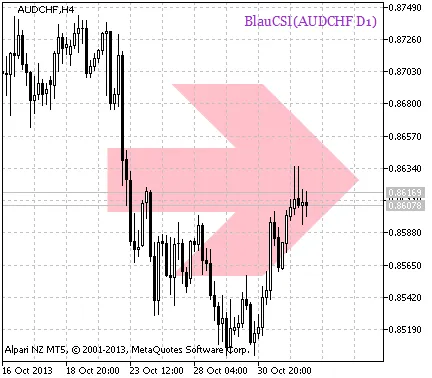
Fig. 1. A signal of trend continuation based on the data of the BlauCSI_HTF_Signal indicator
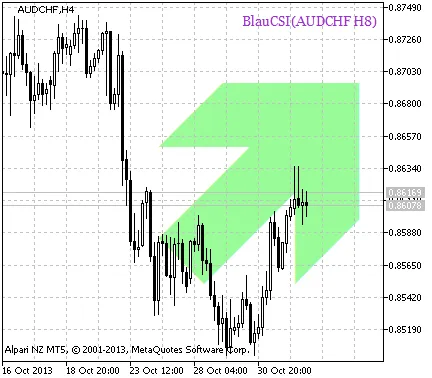
Fig. 2. A signal to open a position based on the data of BlauCSI_HTF_Signal




Comments 0