
Are you looking to up your trading game? Let’s dive into the STOCH in MA indicator, a fantastic tool for traders using MetaTrader 4. This indicator combines stochastic changes with the iMA to help you spot trends like a pro.
What Does STOCH in MA Do?
The beauty of the STOCH in MA indicator is that it gives you a clearer picture of the market trends for your trading pairs. By utilizing this tool, you can make more informed decisions and boost your trading strategy.
Parameters You Should Know
- MA_Periods: This sets the period for your iMA.
- MA_Method: Choose the method for your iMA.
- K_Period: This indicates the period for the K line.
- D_Period: This is the period for the D line.
- Slowind: Adjust the slowing factor.
- STOCH_MA_METHOD: Select the averaging method for the MA.
- PriceField: Choose the price type (Low/High or Close/Close).
- STOCH_LevelUp: Define the level indicating an uptrend.
- STOCH_LevelDn: Define the level indicating a downtrend.
- BarsCount: Set how many bars you want to display the line.
- ReverseSignals: This parameter allows you to reverse signals from uptrend to downtrend.
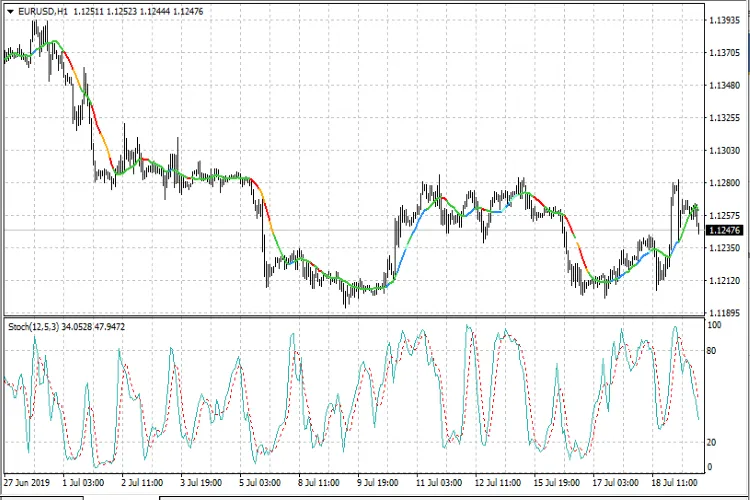
Incorporating the STOCH in MA indicator into your trading toolkit can provide valuable insights, making it easier to navigate the ever-changing market landscape. Give it a try and see how it works for you!




Comments 0