
If you're looking to enhance your trading game, the Bigger Time Frame Bollinger Bands (BTF_BB) indicator for MetaTrader 5 might just be what you need. This handy tool displays Bollinger Bands data from a higher timeframe right on your current chart, giving you more insights into market trends.
This indicator comes with nine customizable settings that allow you to tailor it to your trading style:
- BB Period - Set the period for calculating the Bollinger Bands.
- BB Deviation - Adjust the deviation value for the bands.
- BB Applied Price - Choose the price type used for calculations.
- BB Timeframe - Select which higher timeframe's bands you want to display.
- Drawing Mode - Decide how the indicator is displayed:
- Steps - Shows as a ladder.
- Slope - Provides inclined lines connecting neighboring bars from the calculation timeframe.
- Show Middle Lines - Toggle the visibility of the middle line of the Bollinger Bands (Yes/No).
- Show Alerts - Enable alerts for key signals (Yes/No).
- Send Emails - Set up email notifications for alerts (Yes/No).
- Send Push Notifications - Get push notifications on your mobile device (Yes/No).
You'll receive signals when the current close price moves beyond the upper or lower Bollinger Bands.
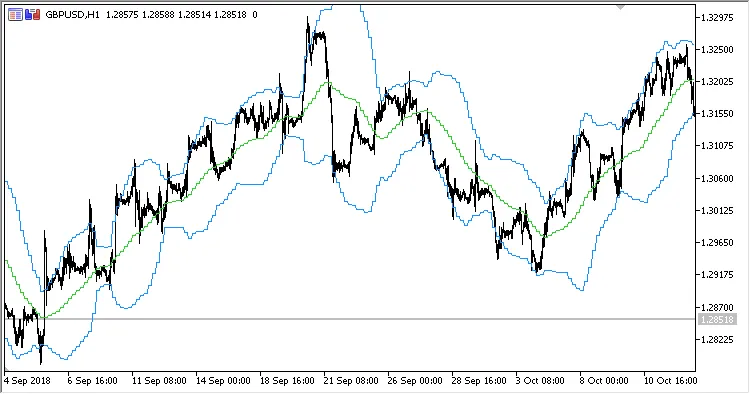
Fig.1. Bigger Time Frame Bollinger Bands, H4 data on the H1 chart, Drawing Mode = Steps
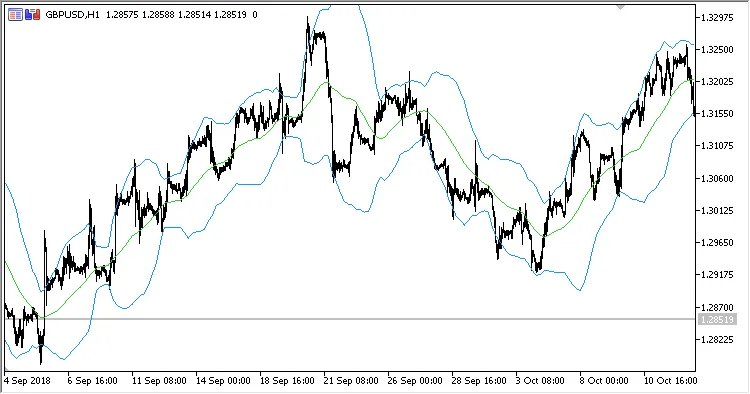
Fig.2. Bigger Time Frame Bollinger Bands, H4 data on the H1 chart, Drawing Mode = Slope

Fig.3. Bigger Time Frame Bollinger Bands, H8 data on the H1 chart, Drawing Mode = Steps
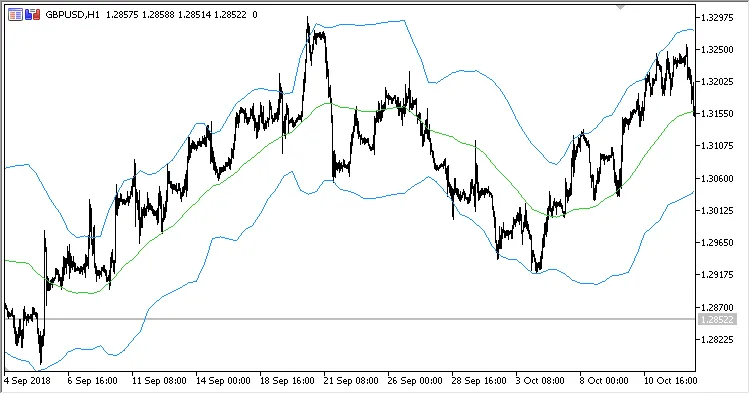
Fig.4. Bigger Time Frame Bollinger Bands, H8 data on the H1 chart, Drawing Mode = Slope




Comments 0