
Hey there, fellow traders! Today, we're diving into the BSI Trend and Channel Indicator for MetaTrader 4. This handy tool helps us visualize trend lines and channels, making our trading decisions a whole lot easier.
First up, the BSI Indicator checks the current trend. Based on this analysis, it draws the trend line or channels accordingly. The trend line utilizes a regression line, while the channels are constructed using the tango line.
I've also uploaded the Tango Line Indicator that complements this one, and I’ve made some tweaks to enhance its functionality.
What You’ll See:
- Orange dashed line — Represents the trend line or channel (high);
- Blue dashed line — Represents the trend line or channel (low);
- Red marker — Indicates a reversal bar (high);
- Blue marker — Indicates a reversal bar (low);
- Pink line — This is the tango line, showing the entry level;
- Magenta line — Displays the moving average of the tango line;
- Red dotted line — Represents the BSI value.
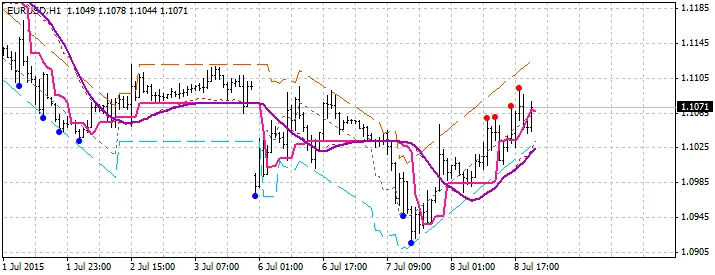
Fig.1. Uptrend line
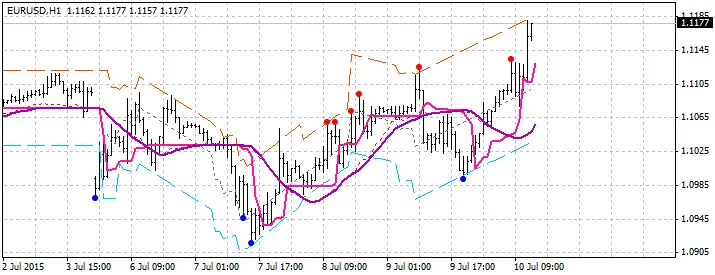
Fig.2. Uptrend line
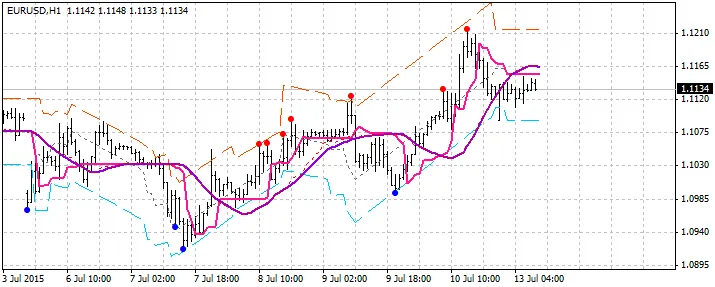
Fig.3. Channel
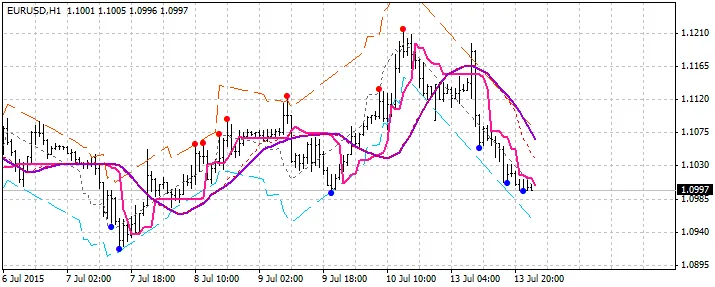
Fig.4. Downtrend line
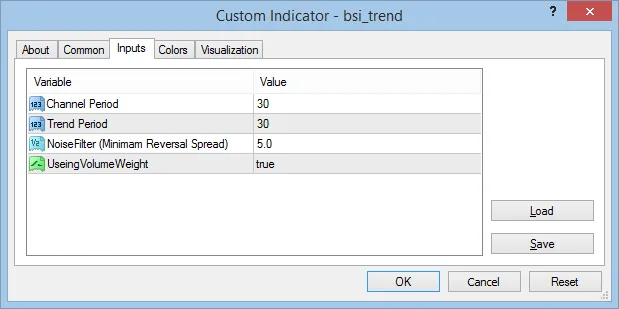
Settings:




Comments 0