
Hey fellow traders! Today, I want to share an awesome tool that can elevate your trading game: the internal channel indicator for MetaTrader 4. This system utilizes the highs and lows to create a trading channel that helps you identify potential entry and exit points.
Developed back in 2001, this indicator has proven its efficiency time and time again. I personally like to trade in both directions simultaneously, but feel free to adapt it to your own style!
If you have any questions or need clarification, don’t hesitate to reach out.
How It Works
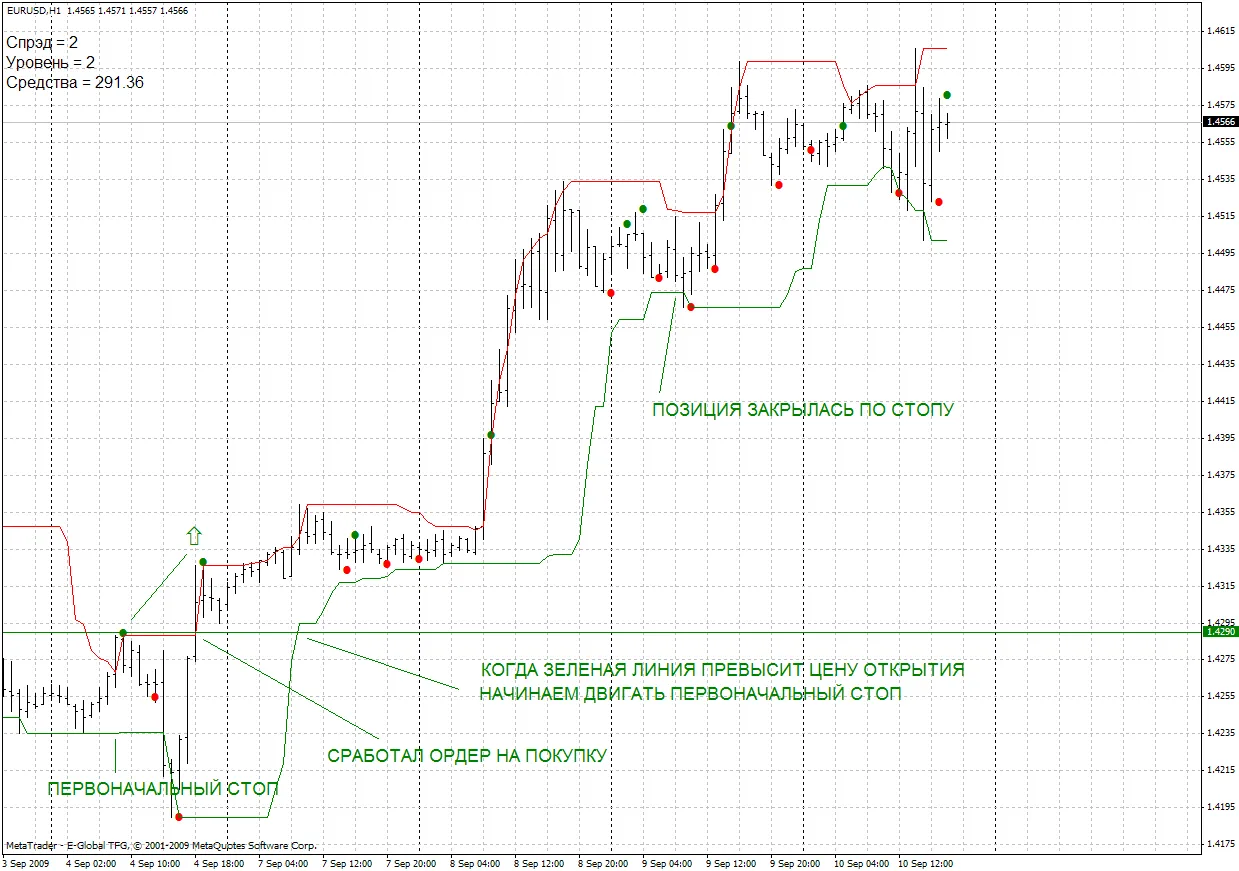
- Dots: These represent your market entry points based on your orders.
- Lines: These act as your stop-loss levels. You should consider moving once the market price crosses your entry point.
Check out the screenshot below to see the indicator in action during a trade:
Happy trading, and may the pips be with you!




Comments 0