
Author:
Rasoul Mojtahedzadeh
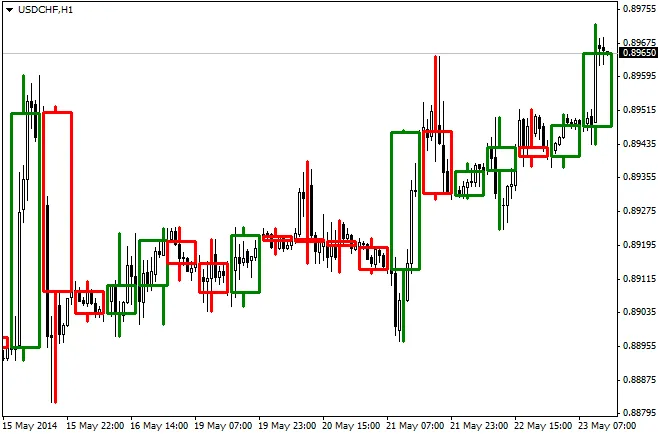
If you're looking to enhance your trading game, this nifty indicator is just what you need. It allows you to display H3, H6, H8, and H12 candlesticks right on your H1 charts. It includes an input variable to adjust for the time difference between your broker’s server clock and GMT0, making it easier to align your trades. Plus, you can customize the colors of bullish, bearish, and Doji candles to suit your style!
Here’s a quick breakdown of each input variable and its purpose:
- TimeFrameInMinutes [Integer Variable]: Set your desired timeframe in minutes. For instance, if you want the H8 timeframe, simply set this to 480.
- UpCandleColor [Color Variable]: Choose the color for your bullish candles.
- DownCandleColor [Color Variable]: Select the color for your bearish candles.
- DojiCandleColor [Color Variable]: Specify the color for Doji candles.
- BrokerHourDiffGMT [Integer Variable]: Input your broker’s time difference in GMT. For example, if your broker operates at GMT +2, set this variable to 2.
- NumCandlesToRedraw [Integer Variable]: Decide how many candlesticks you’d like to display.
- Width [Integer Value]: Adjust the thickness of the candles.




Comments 0