
Hey fellow traders! Are you looking to enhance your pair trading game? Let’s dive into how to utilize the iSpread indicator in MetaTrader 5 to create synthetic symbols using two selected currency pairs.
Getting Started with Synthetic Symbols
With the iSpread indicator, you can create your own synthetic symbol based on two currency pairs. Here's a quick rundown of how it works:

- Start Date: Choose the start date for building your synthetic symbol. This helps avoid pulling in unnecessary old historical data.
- Symbol 1/2: Pick two currency pairs that you want to work with.
Next up is preparing your input data!

- Action: Select an arithmetic operation to merge the two series into one. You have four operations to choose from: +, -, /, *. Personally, I often use the difference and ratio. If you've used the sum or product, I'd love to hear how that worked out for you!
- Symbol Reverse 1/2: Invert a series if the correlation is negative.
- Symbol Degree 1/2: Exponentiate a series if needed. I’ve never really used this option, but I believe it helps equalize the dimensions of both series.
- Symbol Multiplier 1/2: Use this to adjust the series by multiplying it by a certain number. I find this handy for matching series dimensions.
- Logarithms: Convert the resulting series into a logarithmic scale. When I use logarithms, I typically prepare the final series using the difference between the two original series. This can help smooth out trends, but I often stick with the ratio if I'm working with short segments.
- Smoothing Period: Before merging the series, light smoothing can help. I usually apply a simple moving average (MA) to reduce noise without losing much data. You can skip this step by setting the period to 0.
And that's all it takes to prepare your data for creating a synthetic symbol! Let’s see how it looks in action.
For example, we have:
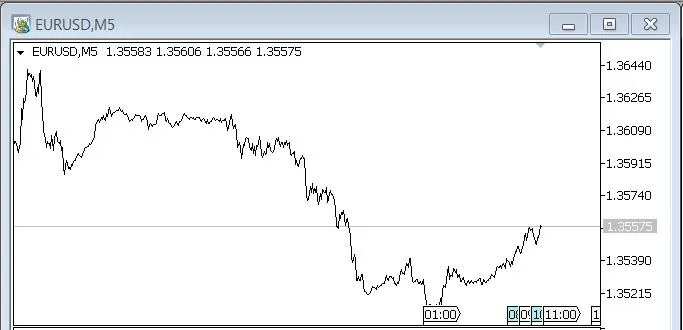
EUR/USD:
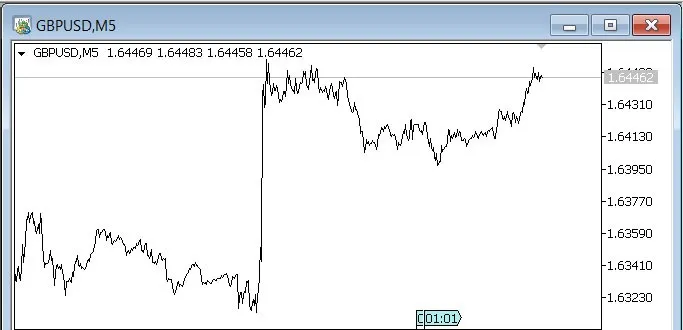
GBP/USD:
And here’s your synthetic symbol:

Finding Entry Points with Deviations
The final step is to determine the required deviation to spot entry points:
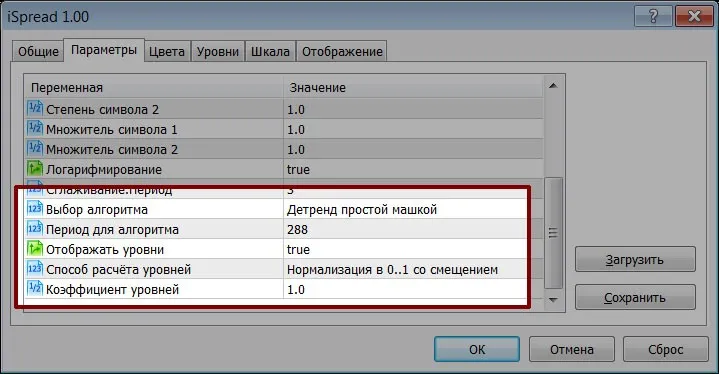
- Selecting an Algorithm: You can detrend the series using a simple MA or the First Difference. I prefer the second method as it tends to give a clearer view when there are strong movements.
- Period for the Algorithm: This is your lag or offset. Setting it to 0 means no modification to the synthetic symbol.
- Show Levels: You can choose to show or hide deviation levels, which indicate when to enter the market. I usually use three levels: red, yellow, and green.
- Level Calculation Method: I typically use normalization (0 to 1 with an offset) for clarity. But remember, don’t trust these levels until you have stable extrema!
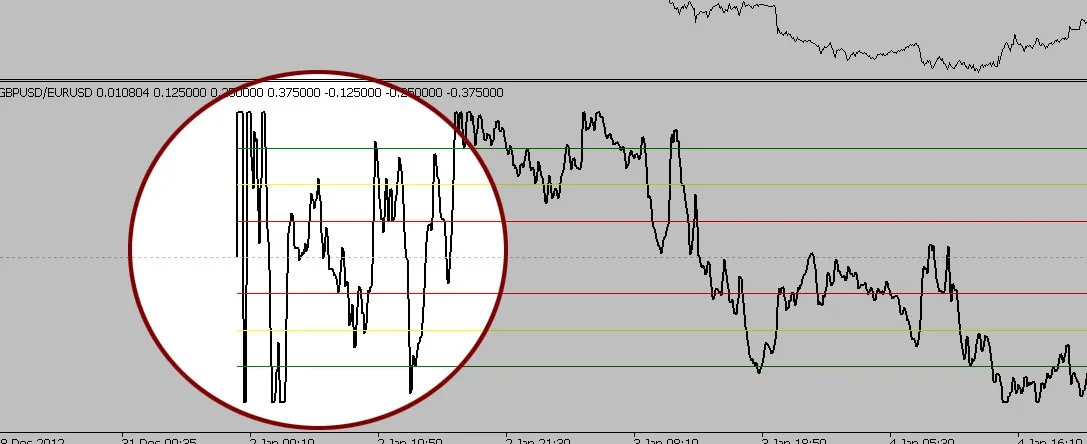
After a few solid divergences, you can start relying on these levels. As you accumulate data, the extremes for normalization won’t be lost.
So there you have it! With the iSpread indicator, creating synthetic symbols and finding entry points can be a breeze. Happy trading!
P.S. A Few Final Notes:
- If the indicator shows some noise, refreshing the chart can help.
- Keep an eye on data omissions—this can affect your analysis.
- Don't hesitate to share your thoughts or experiences with this indicator!




Comments 0