
Author:
Vladimir Hlystov
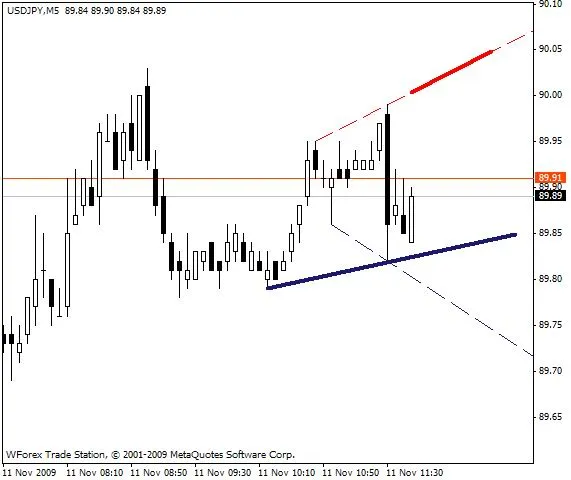
Hey fellow traders! Today, let’s dive into a nifty tool that can really sharpen your trading edge—Signal Lines with alerts for MT4. This indicator is designed to alert you whenever the price gets close to the Signal Lines, which can be angled in whatever way suits your strategy.
The beauty of Signal Lines is that they’re based on straight lines drawn from your key support and resistance levels. You can easily move these lines around with just your mouse, making them super flexible for your trading setup.
Here’s how it works: when the distance between the Bid price and your Signal Lines drops below a set threshold (measured in points), the indicator will send you an alert. You’ll even see the name of the Signal Line that’s been crossed! How’s that for staying in the loop?
If you’ve got the remove_segments variable defined, the indicator will draw new segments after each period change. And the best part? There’s no limit on the number of Signal Lines you can have!
To get started, simply copy the indicator into your MT4 folder at C: \ Program Files \ -Terminal- \ experts \ indicators, and then attach it to your chart. Easy peasy!
Check it out:




Comments 0