
Are you getting the spread your broker quoted you?
Have you ever wanted to double-check spread data from another source or even create your own?
Description:
The Spread Logger is a handy tool made up of two indicators:
Spread Logger Write - This indicator creates a CSV file containing spread data over time, all in real-time.
Spread Logger Read - This one reads the CSV file you created, displays key stats, and visually represents the collected data on your chart, including live spread updates.
How to Use:
- Save both files in your terminal\experts\indicators folder.
Using Spread Logger Write:
- Attach Spread Logger Write to any chart by going to Insert > Indicators > Custom > Spread Logger Write.
- Name your file under the inputs tab or stick with the default name.
- Keep your MT4 terminal running with the chart open for as long as you need; Spread Logger will collect data in real-time.
Note: For the most accurate results, it's best to attach Spread Logger Write to a 1-Minute chart.
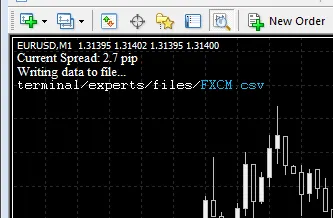
Note: All files created by Spread Logger Write will be saved in the terminal\experts\files folder.
Using Spread Logger Read:
- Open the chart for the currency pair you’ve logged data for and attach Spread Logger Read. If you used a custom file name, ensure it's typed correctly.
- While you can attach Spread Logger Read to any timeframe, using a chart that matches the timeframe of your collected data will yield the best visual results.
Spread Logger Read will display key stats including:
- Time tested & number of bars tested
- Mean spread
- Mode & frequency of the mode as a percentage
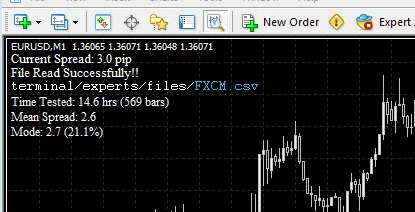
If the time interval for your collected data is within the range of the currently displayed chart, you'll see the spread data drawn on the chart. Plus, the live spread will be shown from the moment you attached Spread Logger Read.
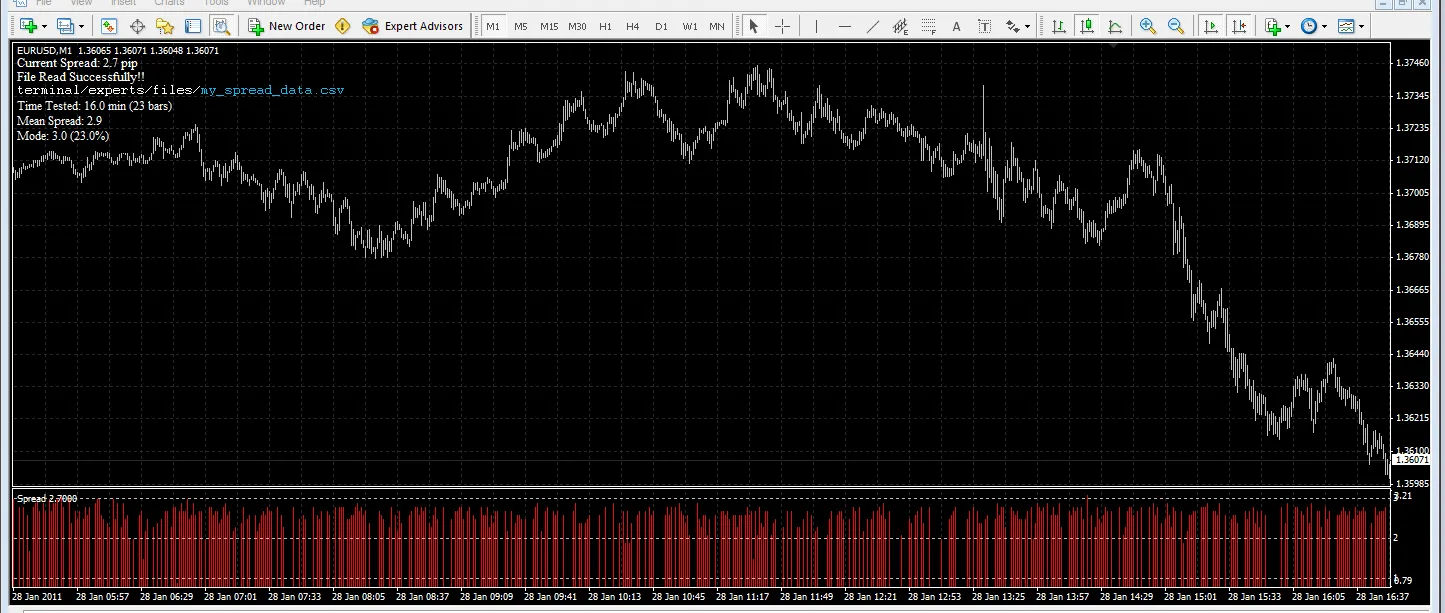
Please share your data and results!
Happy logging! :)




Comments 0