
Introducing the BMA Indicator for MetaTrader 5 — the Band Moving Average, crafted from the classic moving average indicator and inspired by community feedback. This handy tool showcases three dynamic lines on your chart: the central line represents the standard moving average (which you can set as simple, exponential, or weighted), while the upper and lower lines are offset by 2% from the central line by default. These additional lines act as key support and resistance levels, helping you make informed trading decisions. You can find this indicator available for both MT4 and MT5 platforms.
Input Parameters
- MA_Period (default = 49): This determines the period for the central moving average line.
- MA_Shift (default = 0): This allows you to apply a horizontal shift to all lines on your chart.
- MA_Method (default = Simple): Choose how you want your moving average to be calculated.
- Percentage (default = 2): This sets the percentage to vertically adjust the upper and lower bands in relation to the central line.
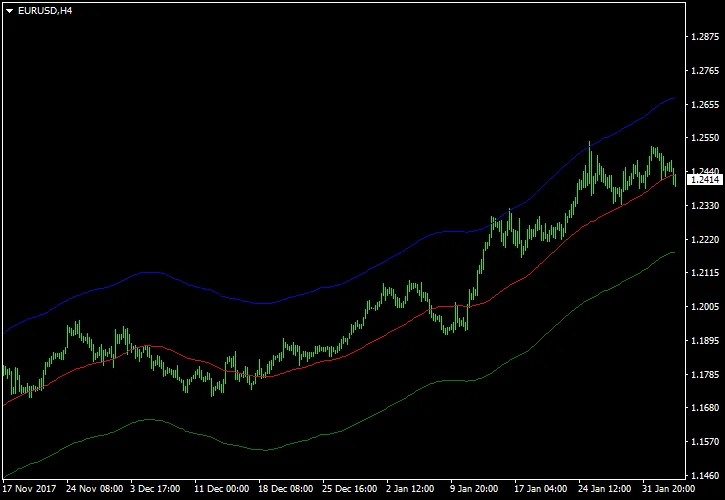
For optimal results, try applying this indicator to the EUR/USD H4 chart (as illustrated above). A common strategy is to sell when the price reaches the upper band and to buy when it hits the lower band. Just a heads-up: it’s wise to set a moderate stop-loss level in both scenarios, as prices can occasionally break through these levels or the lines might change direction unexpectedly.




Comments 0