
Hey there, fellow traders! Today, I’m excited to dive into the Harami pattern and how adding a candle to it can really boost your trading strategy. If you’re looking to ride the trend waves, you’ll find the results quite impressive!
For this setup, we’re going with the default settings on the Harami pattern alone.
- MA, RSI, and MACD are included for experimental purposes.
- You can use each filter individually or mix and match them.
- Each tool shines in its own right!
- Works best across all timeframes.
Input Parameters
- barsToProcess = 5000 - This sets the number of periods for your chart. If you’re working with a 15-minute chart, 200 periods should do the trick for a day.
- Alert_On - Turn this on to get alerts right on your screen.
- MA_filter = false - Setting this to false means the MA settings are off; true means they’re active.
- RSI_filter = false - Just like the MA filter, set this to true to activate the RSI settings.
- MACD_filter = false - Keep it false to disable MACD settings; true to enable them.
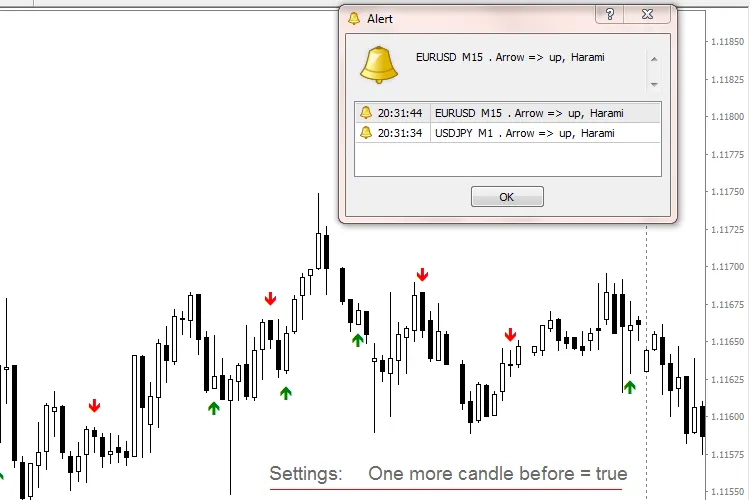
- One_Candle_before = false - If set to false, the last candle before the pattern won’t be considered; true means it will, and it needs to align in direction with the first pattern candle.
- Trend_MA = 12
- MA_shift = 0
- MA_Mode = Exponential
- MA_price = High price
- RSI_Period = 5
- RSI_upper_level = 70
- RSI_lower_level = 30
- MACD_fast_EMA = 12
- MACD_slow_EMA = 26
- MACD_SMA = 9




Comments 0