
Hey fellow traders! If you're looking to harness the power of the RSI Band indicator in MetaTrader 4, you’ve come to the right place. This tool can significantly enhance your trading strategy by helping you identify overbought or oversold conditions in the market.
One of the great things about this indicator is its flexibility. You can easily tweak the input parameters to suit your trading style. Here’s how:
- nPeriod: Set this to
13to define the period for the RSI calculation. - MaShift: This can be set to
0for a straightforward application.
For those using the RSI_Bands_B2 version, you’ll want to pay attention to the following:
- RossiKoeff: Set this to
300. It’s important to find the right value through testing on various Symbols and TimeFrames to optimize your results.
Take a look at this visual for a better understanding:
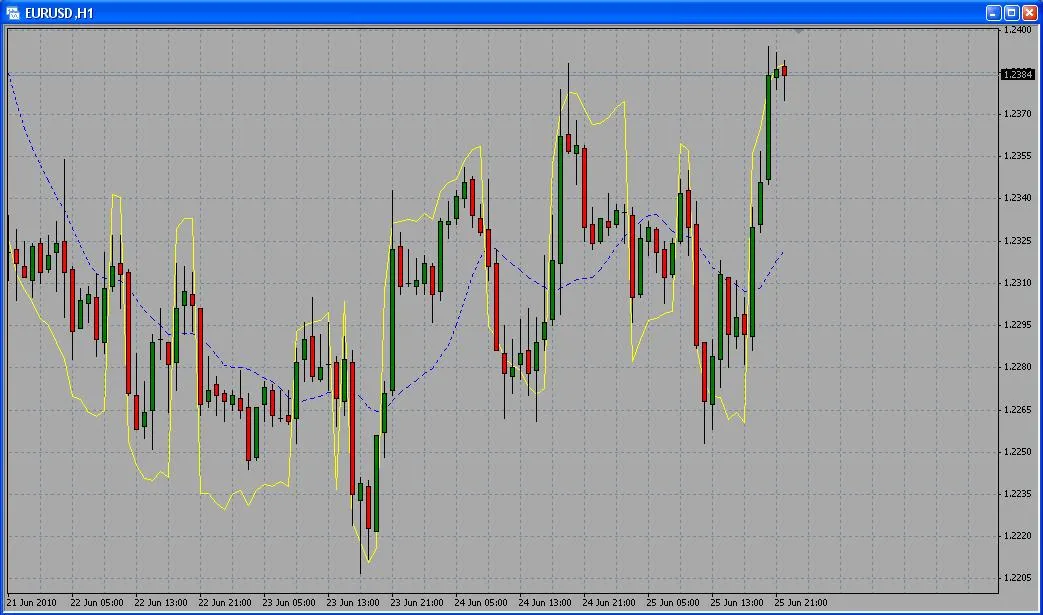
By adjusting these parameters, you can customize the RSI Band indicator to better fit your trading strategy. Remember, the key to successful trading is testing and tweaking until you find what works best for you. Happy trading!




Comments 0