
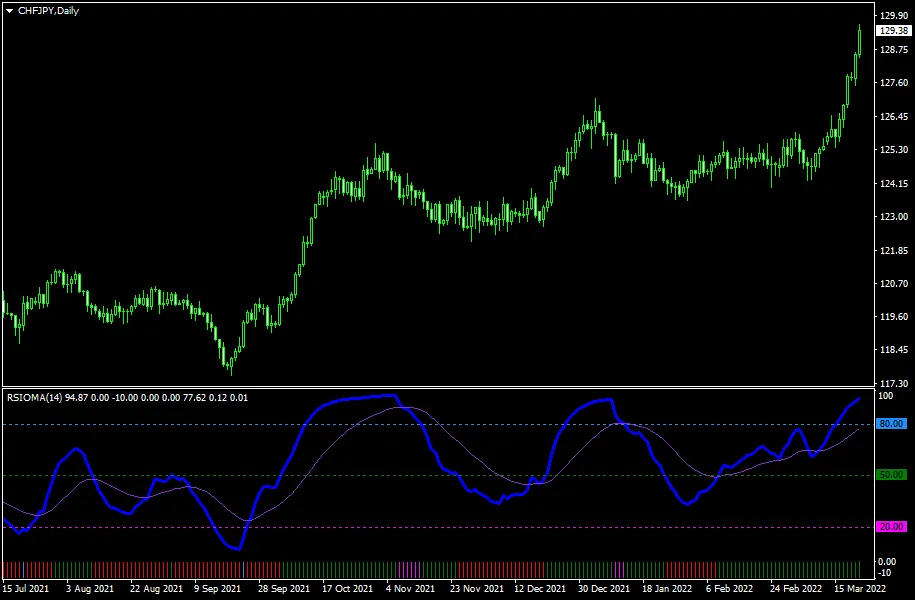
Unlock the Power of the RSIOMA Indicator in MetaTrader 5 — The RSIOMA indicator is a nifty tool that combines two moving averages, calculates their RSI (Relative Strength Index), and then adds a moving average of that RSI. This setup gives you a clear view of trend changes, displayed in a separate window that ranges from 0 to 100. Plus, there's an auxiliary histogram for a quick snapshot of the current trend. Whether you’re on MT4 or MT5, this indicator is a must-have!
Input Parameters You Need to Know
- RSIOMA Period (default = 14) — This is the period for both the RSI and the moving averages. If you want smoother signals, increase this value; if you prefer more frequent signals, decrease it.
- RSIOMA Mode (default = MODE_EMA) — This sets the type of moving averages for the RSI calculation.
- RSIOMA Price (default = PRICE_CLOSE) — The price levels used to compute the moving averages for the RSI.
- MA of RSIOMA Period (default = 21) — This defines the period of the moving average of the RSI itself.
- MA of RSIOMA Mode (default = MODE_EMA) — The type of moving average applied to the RSI.
- BuyTrigger (default = 20) — This is the oversold threshold level.
- SellTrigger (default = 80) — The overbought threshold level.
- BuyTriggerColor (default = clrMagenta) — The color for the oversold line.
- SellTriggerColor (default = clrDodgerBlue) — The color for the overbought line.
- MainTrendLong (default = 50) — If the RSIOMA is above this level, you're looking at a bullish trend.
- MainTrendShort (default = 50) — If the RSIOMA is below this level, it indicates a bearish trend.
- MainTrendLongColor (default = clrRed) — The bullish trend separator color.
- MainTrendShortColor (default = clrGreen) — The bearish trend separator color.
- MainAlerts (default = false) — Set to true if you want an alert when the RSIOMA crosses into overbought or oversold territory.
- AuxiliaryAlerts (default = false) — Set to true for alerts when the histogram indicates a potential trend reversal.
- EnableNativeAlerts (default = false) — Set to true to enable native MetaTrader popup alerts for the above conditions.
- EnableEmailAlerts (default = false) — Set to true to receive email alerts, but make sure you have your email settings configured in MetaTrader under Tools->Options->Email.
- EnablePushAlerts (default = false) — Set to true for push notifications, but ensure your settings are right under Tools->Options->Notifications.
- TriggerCandle (default = Previous) — This specifies which candle triggers alerts: Previous for the last closed candle, or Current for the ongoing candle.




Comments 0