
If you're looking to enhance your trading strategy, the Standard Deviation Channel is a fantastic tool to consider. This indicator helps you visualize price volatility, which can be a game changer in your trading decisions.
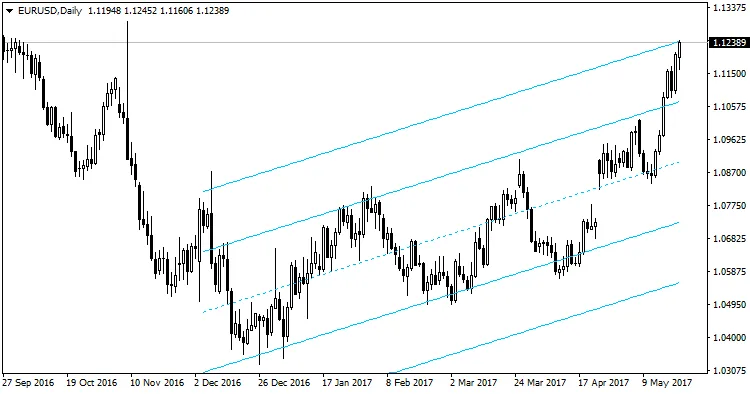
Getting started is easy! In MetaTrader 4, just navigate to the menu and click on Insert → Channel → Standard Deviation. This will add the channel to your chart, helping you spot potential entry and exit points more effectively.
With the recent updates, this indicator has become even more user-friendly without losing its effectiveness. It's like having a trusty sidekick that helps you gauge market movements with ease.




Comments 0