
If you’re looking to level up your trading game, let’s dive into the Super SAR indicator, a powerful tool built on the foundations of SuperTrend and iSAR.
This nifty indicator comes with six customizable parameters that can help you tailor it to your trading style:
- SAR Step - This is your Parabolic SAR step;
- SAR Max - The maximum value of the Parabolic SAR;
- ATR Period - The ATR period for calculating SuperTrend;
- Multiplier - This sets the SuperTrend line closer or farther from the median price;
- Swing - Adjusts signal alterations (Yes/No);
- Show SAR - Whether to display the Parabolic SAR (Yes/No).
Green/Red arrows indicate position entries that appear after a change in the SAR position, but only when confirmed by SuperTrend.
Gray arrows signal caution (do not enter or consider closing a position) when the SAR direction changes without SuperTrend confirmation.
If you opt for Swing (Yes), you’ll see arrows (up/down) only when both criteria align, taking into account the direction of the previous signal.
No need for the SuperTrend indicator to operate—this one calculates its own values!
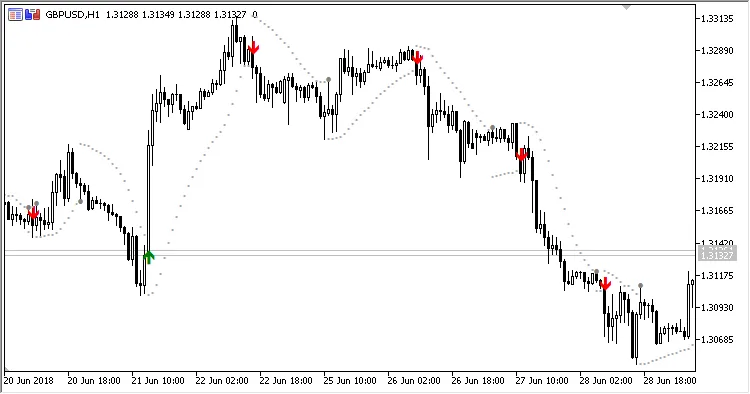
Fig. 1. Super_SAR, Swing = No
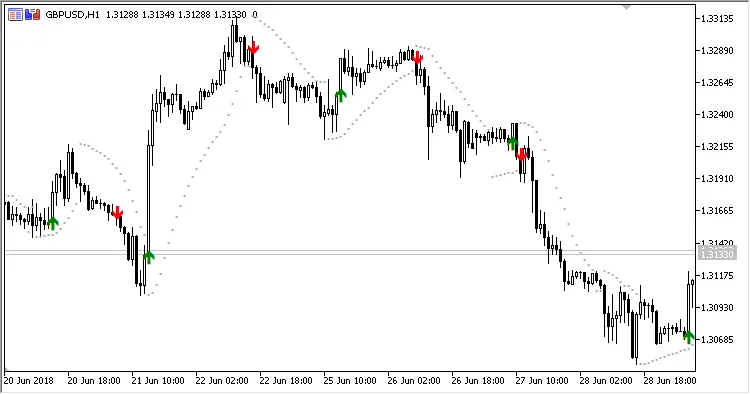
Fig. 2. Super_SAR, Swing = Yes




Comments 0