
If you're looking to enhance your charting experience in MetaTrader 5, the VGridLine Daily indicator is a must-have. This nifty tool lays out a vertical time grid with one-day intervals, making it easier for you to spot trends and manage your trades effectively.
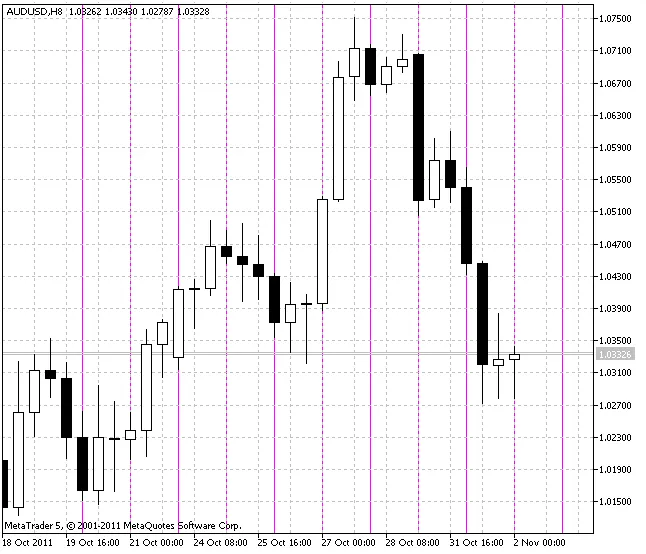
Customizing Your VGridLine Daily Indicator
One of the best things about the VGridLine Daily is its flexibility. You can tweak various parameters to suit your trading style. Here’s a quick rundown of the input options:
- Line Name: Use
LinesSirnameto set your line's name (default is "VLine_Grid_Daily_"). - Line Color: Adjust the
Line_Colorto your preferred shade (default is Magenta). - Line Style: Choose the
Line_Styleto determine how your lines appear (default is solid). - Line Width: Set
Line_Widthto customize the thickness of your lines, with a default of 1. - Background Display: Use
SetBackgroundto toggle the background lines on or off (default is true). - History Lines: Control how many lines are displayed in history with
LinesTotal(default is 10). - Future Lines: Set
FutureTotalto determine how many lines show in future history (default is 1).
With these customizable features, you can create a visual setup that works best for you. Whether you're day trading or swing trading, having a clear view of your time frames can make all the difference.
Give the VGridLine Daily a try and see how it can elevate your trading game!




Comments 0