
Hey traders! Today, let’s dive into the HLBands indicator for MetaTrader 5. This handy tool helps you visualize key levels right on your charts, making your trading decisions more informed.
The HLBands indicator displays the Open, High, and Low levels for a specified period. You have flexibility in how you want to view these levels:
- High/Low mode;
- Open/Close mode.
Additionally, you can select from two update modes:
- Only at the opening of the first candlestick of the selected period (which shows the High, Low, and Open of that candlestick);
- Throughout the entire period of your chosen timeframe, updating levels as needed.
One of the great features is that you can set the period for displaying levels right on your chart.
Now, let’s break down the three main input parameters you’ll work with:
- Bands Period - this defines the period for the displayed levels;
- Bands Update - here’s where you choose how levels are updated:
- At the opening of the bar - only the current bar of your selected timeframe gets updated, keeping levels unchanged for all bars of the selected period;
- Always - levels are continuously updated when the price breaks past previous levels, showing the min/max levels for the entire period.
- Bands Applied Price - this ensures the open line of your selected period is always displayed. You can toggle between viewing High/Low levels and Open/Close levels of the candlesticks.
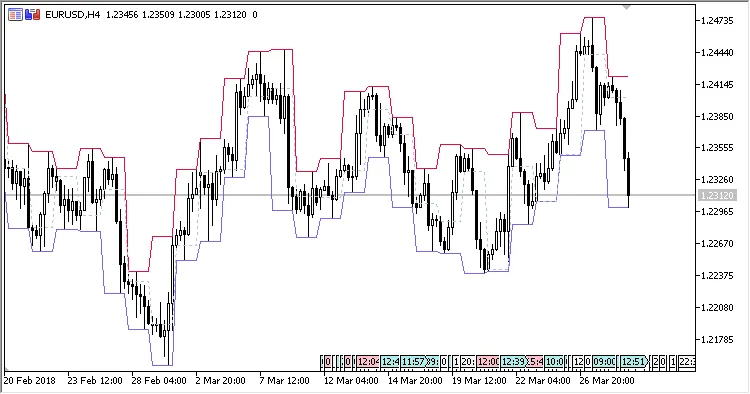
Fig.1. The D1 period on the H4 chart, High/Low levels, update mode 'always'
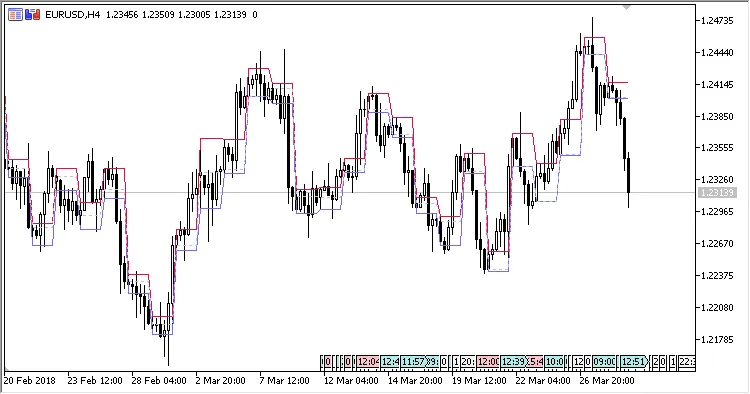
Fig.2. The D1 period on the H4 chart, High/Low levels, update only at the first bar of the period
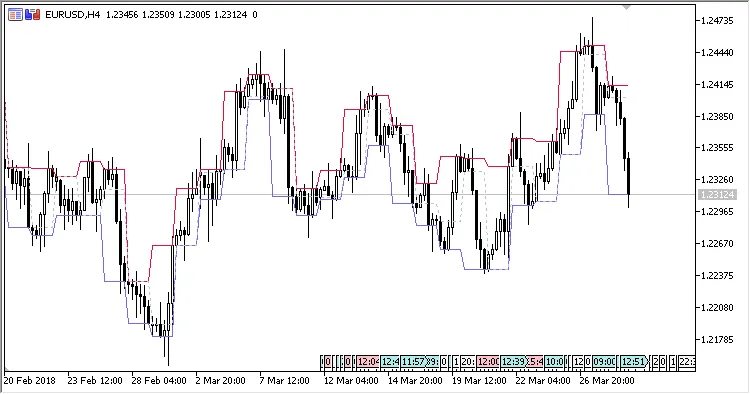
Fig.3. The D1 period on the H4 chart, Open/Close levels, update mode 'always'
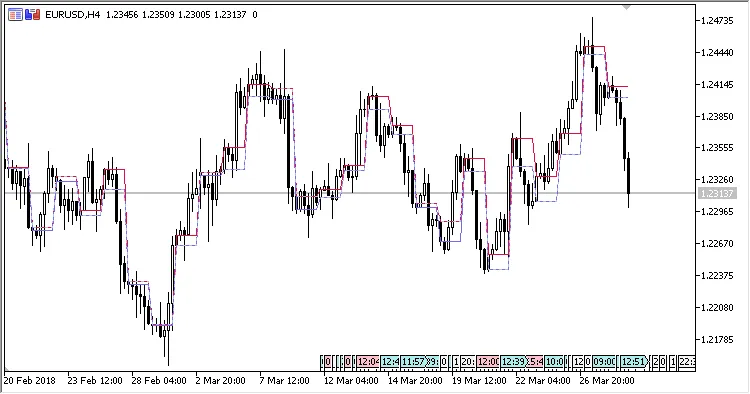
Fig.4. The D1 period on the H4 chart, Open/Close levels, update only at the first bar of the period




Comments 0