
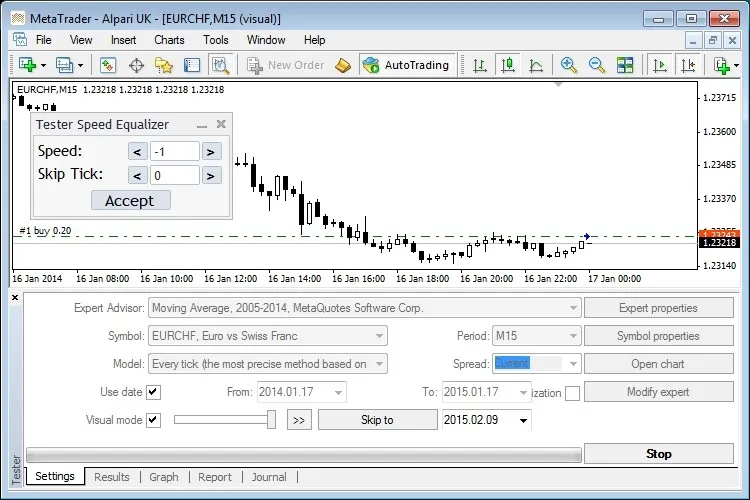
If you’re looking to get the most out of your trading simulations, the Equalizer indicator is your best friend! This handy tool allows you to control the speed of your Strategy Tester in MetaTrader 4, helping you streamline your backtesting process.
With the Equalizer, you can easily adjust the speed settings. When set to 32, you can either slow things down or speed them up, depending on your needs.
Key Features
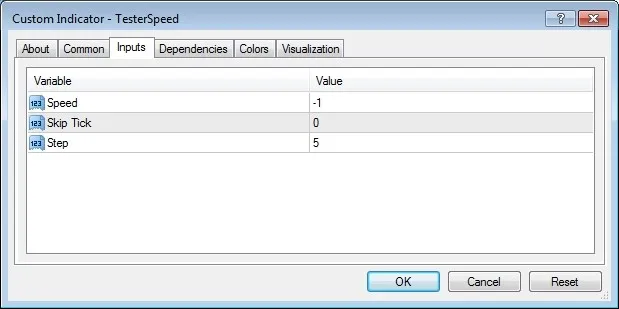
- Speed: Decrease the speed (set to less than or equal to zero).
- Skip Tick: Increase the speed (set to greater than or equal to zero).
- Step: Set the interval (must be greater than or equal to one).
Watch the Video:
Check out this tutorial on YouTube!.
Requirements
- Make sure to check the box for Allow DLL imports before you run the indicator.




Comments 0