
Description:
If you're serious about trading, you know that managing your money and risk is crucial. The Money Management Visualizer is a handy tool for MetaTrader 4 that helps you calculate your lot sizes effortlessly by simply dragging horizontal lines on your price chart.
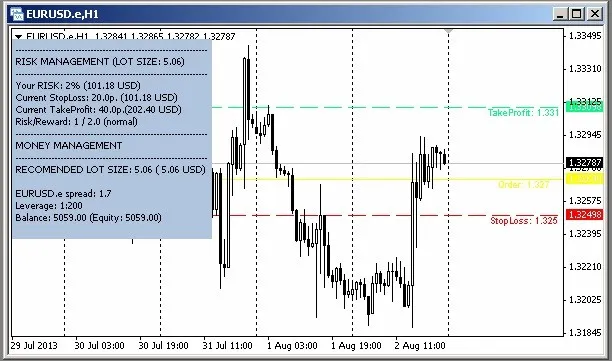
To get started, drop a horizontal line on your price graph and label it "s" (like "starter"). This action will automatically generate three additional lines: sl for Stop Loss, tp for Take Profit, and order for the Order Line. The default settings are set to Take Profit at 40 pips and Stop Loss at 20 pips, but you can easily adjust these lines to fit your strategy. In the top left corner, you’ll find real-time calculations that will help you keep your risk and money management in check.
This indicator has a straightforward parameter: Risk Percentage per Order. I typically set mine to 2%, which is also the default setting. This ensures that you're trading smart without overexposing your capital.
The real gem here is the "RECOMMENDED LOT SIZE" line, which displays the calculated lot size for your next order based on your account deposit. This makes it super easy to stay on top of your risk management game.
Image:




Comments 0