
If you're trading on MetaTrader 5, you might want to check out the AMA Histogram. This handy indicator visualizes the difference between the Close price and the Adaptive Moving Average (AMA) value, presenting it as a histogram. It’s a great tool for spotting trends and making informed trading decisions.
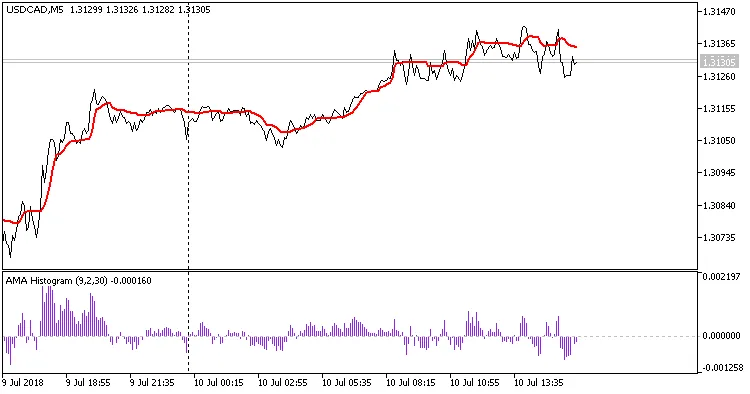
Using the AMA Histogram can help you identify potential entry and exit points in your trades. When the histogram bars are above the zero line, it often indicates that the market is in an uptrend, while bars below the zero line suggest a downtrend. This can be particularly useful for setting up your trades and managing risk.
How to Use the AMA Histogram Effectively
- Trend Confirmation: Use the histogram to confirm trends that are identified by other indicators.
- Entry Points: Look for crossovers and significant changes in the histogram’s values to spot potential entry points.
- Exit Signals: Consider closing your positions when the histogram indicates a reversal.
Remember, while the AMA Histogram is a powerful tool, it’s best used in conjunction with other indicators for a comprehensive trading strategy. So, give it a try and see how it fits into your trading routine!
Related Posts
- Unlocking the Power of Master Tools for MetaTrader 4
- Unlocking MetaCOT 2: Your Ultimate CFTC Indicator Toolkit for MT4
- Unlocking the Power of ColorJFatl_Digit_Alert: Your Go-To MT5 Indicator
- Maximize Your Trading Potential with the ColorX2MA_Alert Indicator for MetaTrader 5
- Mastering the Waddah Attar Trend Alert Indicator for MetaTrader 5