
The Buying/Selling Pressure indicator is a powerful tool that helps traders gauge the strength of buying and selling activity in the market. Let’s break down how it works and how you can make the most of it.
There are five key inputs you'll want to configure:
- Period - This sets the calculation period for the indicator.
- Smoothing Period - Adjust this to smooth out the data for clarity.
- Smoothing Method - Choose how you want the data smoothed.
- Pressure Filter - This filters the types of pressure displayed:
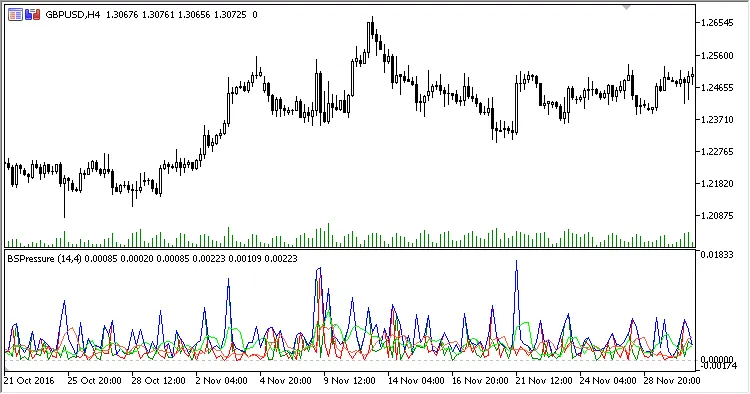
- Both Pressures - Shows both buying and selling pressure.
- Buying Pressure - Displays only buy pressure.
- Selling Pressure - Displays only sell pressure.
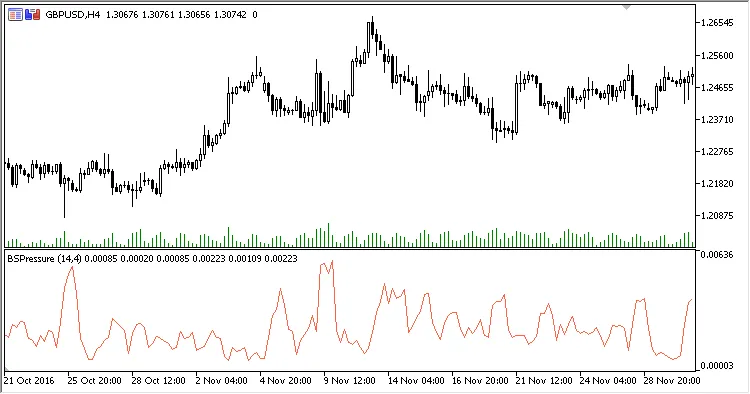
- Prevailing Pressure - Shows the dominant pressure in the market.
- Smoothing Filter - Determines how the smoothed data is displayed:
- Both - Displays both smoothed and unsmoothed data.
- Only Unsmoothed - Shows unsmoothed data only.
- Only Smoothed - Displays smoothed data only.
Calculating Buying Pressure:
BP = High - Open
Calculating Selling Pressure:
SP = Open - Low
Determining Prevailing Pressure:
If BP > SP, then PP = BP
If SP > BP, then PP = SP
Calculating Smoothed Values:
SBP = MA(BP, Smoothing period, Smoothing method)
SSP = MA(SP, Smoothing period, Smoothing method)
SPP = MA(PP, Smoothing period, Smoothing method)
Here are some visual examples of the different data display filters:








Comments 0