
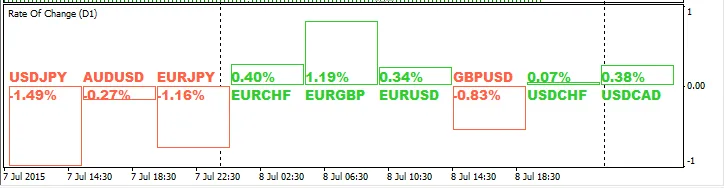
The Rate of Change (ROC) indicator is a handy tool that helps you track the percentage change in price for selected currency pairs over a specified time period. It visually represents this data with bars in the indicator sub-window, making it easy to spot trends at a glance.
By clicking on a bar or the name of a currency pair, you can quickly pull up the corresponding chart based on the parameters you've set. This feature makes it super convenient to analyze price movements in real-time.
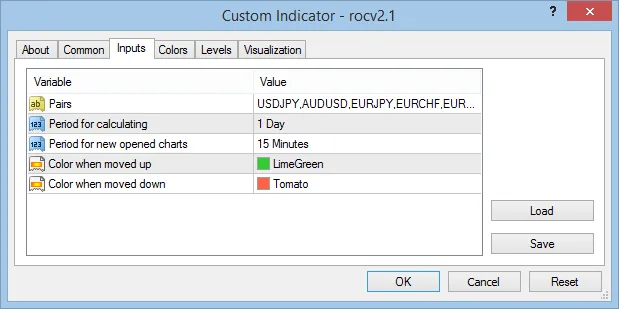
Here are a few tips for using the ROC indicator:
- When entering the list of currency pairs, make sure to use a separator without any spaces.
- The pairs you select in the "Market Watch" window will be updated automatically.
- If you resize the chart window, or if a bar exceeds the subwindow's borders, the bars will automatically scale to fit.
- If you encounter a font scaling issue while adjusting the window, try increasing or decreasing the height of the indicator sub-window.




Comments 0