
If you're diving into the world of trading with MetaTrader 5, you might want to check out the Slow-Stoch_HTF_Signal indicator. This handy tool gives you insights into trend direction based on the Slow-Stoch indicator data. It visually displays trend or trade direction and can alert you through audio signals or push notifications if a trading signal pops up.
Now, it’s important to note that this indicator will only send alerts and notifications if the input parameter below is set:
input uint SignalBar=0; // The bar number where the signal is checked (0 means current bar)
Be cautious when using the zero bar. Sound signals and push notifications may not be reliable here since the indicator’s signal can change or vanish!
Let’s break down the input parameters into three main categories:
- Parameters for Slow-Stoch:
input string Symbol_="";                        // Trading symbol
input ENUM_TIMEFRAMES Timeframe=PERIOD_H6;      // Timeframe for the indicator calculations

input uint KPeriod=5;
input uint DPeriod=3;
input uint Slowing=3;
input ENUM_MA_METHOD STO_Method=MODE_SMA;
input ENUM_STO_PRICE Price_field=STO_LOWHIGH;
input Smooth_Method XMA_Method=MODE_JJMA;       // Averaging method
input uint XLength=5;                           // Smoothing depth
input int XPhase=15;                            // Smoothing parameter
//---- for JJMA it varies between -100 and +100, affecting transition quality;
//---- for VIDIA it's the CMO period, for AMA it's the slow moving average period
- Visualization Parameters for Slow-StochI_HTF_Signal:
//---- Settings for indicator display
input uint SignalBar=0;                                 // Bar number for signal (0 - current bar)
input string Symbols_Sirname=INDICATOR_NAME"_Label_";   // Indicator label names
input color UpSymol_Color=Lime;                         // Color for upward signals
input color DnSymol_Color=Magenta;                      // Color for downward signals
input color IndName_Color=DarkOrchid;                   // Color for the indicator name
input uint Symbols_Size=60;                             // Size of indicator symbols
input uint Font_Size=10;                                // Font size for indicator name
input int X_1=5;                                        // Horizontal shift for the name
input int Y_1=-15;                                      // Vertical shift for the name
input bool ShowIndName=true;                            // Show indicator name
input ENUM_BASE_CORNER  WhatCorner=CORNER_RIGHT_UPPER;  // Positioning corner
input uint X_=0;                                        // Horizontal shift
input uint Y_=20                                       // Vertical shift
- Alert and Sound Signal Parameters for Slow-Stoch_HTF_Signal:
//---- Alert settings
input ENUM_ALERT_MODE alert_mode=OnlySound;  // Alert trigger option
input bool Push=true;                        // Enable push notifications
input uint AlertCount=0;                     // Number of alerts generated
If you plan to use multiple Slow-Stoch_HTF_Signal indicators on one chart, make sure each one has a unique Symbols_Sirname value for the indicator label names.
Remember, the indicator needs the compiled Slow-Stoch.mq5 file to work properly. Just drop it into your terminal data folder under MQL5/Indicators/.
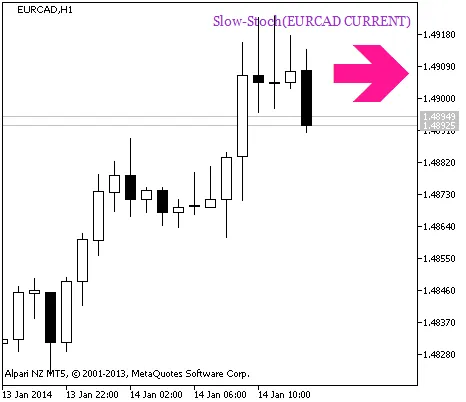
Figure 1 A signal of trend continuation based on the data of the Slow-Stoch_HTF_Signal indicator
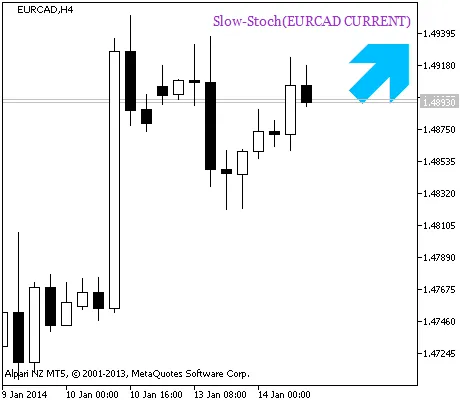
Figure 2. A signal to open a position based on the data of Slow-Stoch_HTF_Signal
Related Posts
- Unlocking MetaCOT 2: Your Ultimate CFTC Indicator Toolkit for MT4
- Mastering the Fibonacci ZigZag Indicator for MetaTrader 5
- Unlocking the Power of Master Tools for MetaTrader 4
- Mastering the MACD Candle Indicator for MetaTrader 4
- Visualize Current Trends Across All Time Frames with This MetaTrader 4 Indicator