
If you're looking to enhance your trading strategy, the iCrossClose Indicator for MetaTrader 5 is a game-changer. This nifty tool allows you to perform various arithmetic operations on the prices of two different symbols and display the results on any other chart you choose.
With this indicator, you can easily calculate crosses using multiplication and division, figure out spreads by subtraction, or simply plot data from another symbol directly onto your chart.
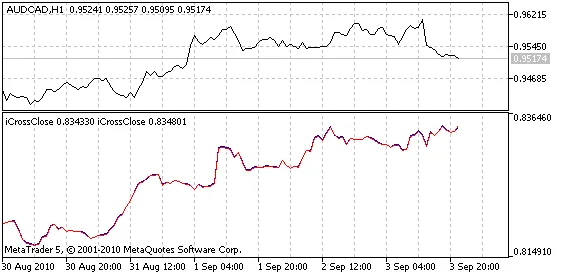
Fig. 1. The iCrossClose Indicator displaying EURGBP (blue) and its estimated values (red), calculated using EURUSD and GBPUSD, on the lower chart.
By default, the iCrossClose Indicator plots the cross of EURGBP, calculated using the values from EURUSD and GBPUSD (as shown in Fig. 1).
Input Parameters:- S1_Symbol - The first symbol;
- S1_Invert - A flag to invert the value of the first symbol (value = 1.0/value);
- S1_K - A multiplication coefficient for the first symbol (value = K*value);
- S1_Plus - An addition to the first symbol (value = Plus + value). The order of operations is: invert, multiply, add;
- S2_Symbol - The second symbol;
- S2_Invert - A flag to invert the value of the second symbol;
- S2_K - A multiplication coefficient for the second symbol;
- S2_Plus - An addition to the second symbol;
- R_ArithmeticAction - The arithmetic action to perform;
- R_Invert - A flag to invert the result of the arithmetic action;
- R_K - A multiplication coefficient for the result;
- R_Plus - An addition to the result.
Notes:
- To plot another symbol's data as-is, ensure that S1_Symbol and S2_Symbol are the same, set S2_K to 0, R_ArithmeticAction to Add, and use the default values for the other parameters.
- If the data isn't ready yet, the indicator will wait for a new tick and display the message "Please wait...". You can also switch timeframes to use it over the weekends.




Comments 0