
The UltraWPR_HTF_Signal_BG is a powerful tool designed to help traders gauge trend direction using the UltraWPR indicator. It visually represents trend information on your selected bar, providing a colored indication of whether to buy or sell. Plus, it keeps you in the loop with alerts, audio signals, and push notifications straight to your smartphone whenever a trading opportunity arises.
The indicator showcases a graphic object as a colored background, utilizing four distinct colors. Light shades indicate a continuation of the trend, while brighter shades signal a trading opportunity.
Push notifications and alerts are only sent if the parameter:
input uint SignalBar=0; // The bar number to get a signal (0 - current bar)
is set to greater than one. This is crucial because receiving signals for the current bar (zero bar) may lead to unreliable trading decisions.
The input parameters can be grouped into three main categories:
- Session Drawing Parameters:
//+------------------------------------------------+
//| Session drawing input parameters              |
//+------------------------------------------------+
input bool   SessionDrawOff=false;              // Show session in a non-session period
input string SessionSirName="Asian";           // Session name
input Hour   StartHour=H00;                     // Session start hour
input Min    StartMinute=M00;                   // Session start minute
input uint   SessionTime=480;                   // Session duration in minutes
- UltraWPR Parameters:
//+------------------------------------------------+
//|  Indicator input parameters                   |
//+------------------------------------------------+
input string Symbol_="";                    // Financial instrument
input ENUM_TIMEFRAMES Timeframe=PERIOD_H6;  // Indicator timeframe for calculation
input int WPR_Period=13;                    // Period of the WPR indicator
- Visualization Parameters:
//---- indicator visualization settings
input uint SignalBar=0;                                // Bar number to receive a signal (0 - current bar)
input string Symbols_Sirname=INDICATOR_NAME"_Label_";  // Name for indicator labels
If you're planning to use multiple UltraWPR_HTF_Signal_BG indicators on a single chart, make sure each one has a unique Symbols_Sirname (indicator label name).
To get started, place the compiled file UltraWPR.mq5 into your terminal's terminal_data_folder/MQL5/Indicators/ directory.
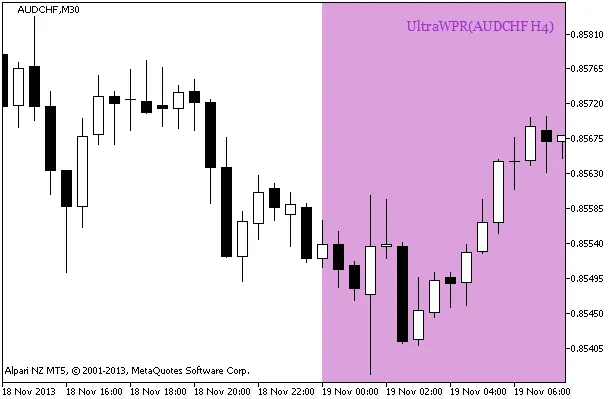
Fig. 1. A signal of trend continuation based on the data of the UltraWPR_HTF_Signal_BG indicator
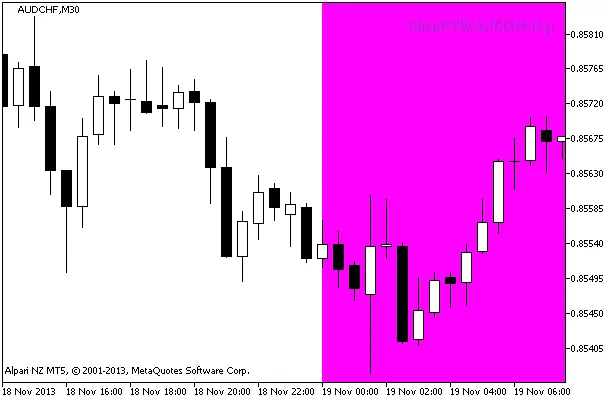
Fig. 2. A signal to open a position based on the data of UltraWPR_HTF_Signal_BG
Related Posts
- Unlocking MetaCOT 2: Your Ultimate CFTC Indicator Toolkit for MT4
- Unlocking Trading Success with METRO_WPR_HTF_Signal for MetaTrader 5
- X2MA_HTF_Signal_BG: A Must-Have Indicator for Your MetaTrader 5 Trading Strategy
- Mastering the Delta_WPR Indicator for MetaTrader 5: A Trader's Guide
- Visualize Current Trends Across All Time Frames with This MetaTrader 4 Indicator