
Author: John Ehlers
If you're looking to enhance your trading game with the MAMA_NK indicator on MetaTrader 4, you’re in the right place! Let’s break down how to get this tool up and running smoothly.
First off, you’ll need to make sure you have a couple of essential files. Here’s what to do:
- Download PriceSeries.mqh and place it in the following directory:
MetaTrader\experts\include\ - Next, grab MAMA_NK.mq4 and Heiken Ashi4.mq4, and drop them into the
MetaTrader\indicators\folder.
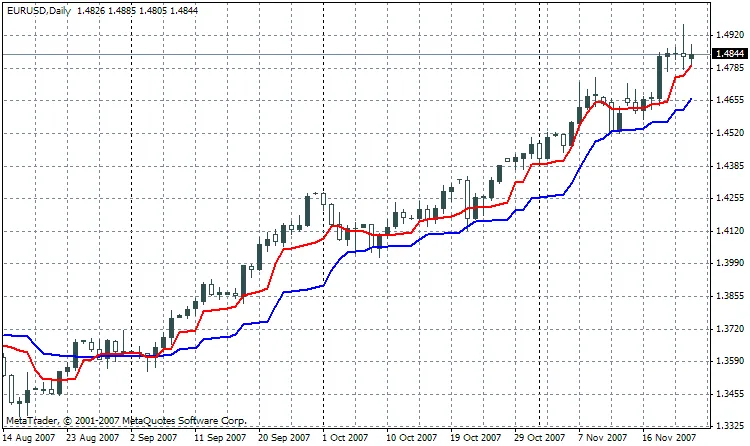
Now, let's talk about the MAMA1_NK.mq4. This version is effectively a streamlined version of the MAMA_NK.mq4 indicator. I’ve cleaned it up by removing some of the unnecessary code and variables that might just clutter things up. If you prefer a more straightforward approach, the MAMAXX_NK.mq4 is another option, featuring a simplified version of the smoothing algorithm.
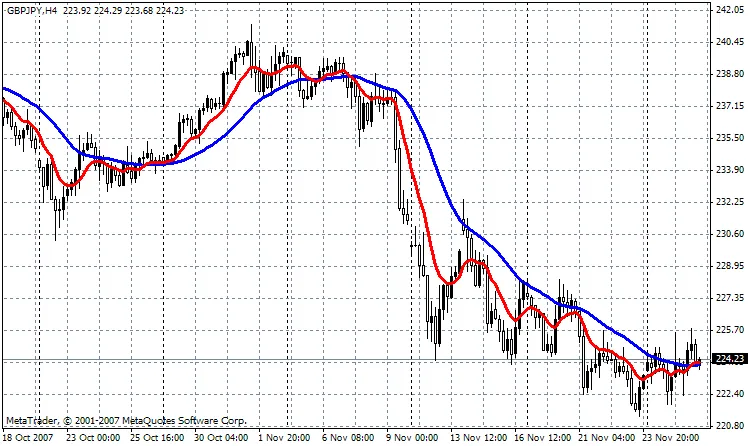
By using these indicators effectively, you can better navigate market trends and make more informed trading decisions. Happy trading!




Comments 0