
If you're looking to enhance your trading strategies, the ColorMFI_X20 indicator is a fantastic tool to consider. This nifty indicator allows you to adjust the calculation timeframe right from the input settings, giving you flexibility to tailor it to your trading style.
inputENUM_TIMEFRAMES TimeFrame=PERIOD_H4; // The indicator chart period (timeframe)
To get the ColorMFI_X20 up and running, make sure to place the ColorMFI_X20.ex5 file in your <terminal_data_directory>\MQL5\Indicators folder. This step is crucial for the indicator to function properly.
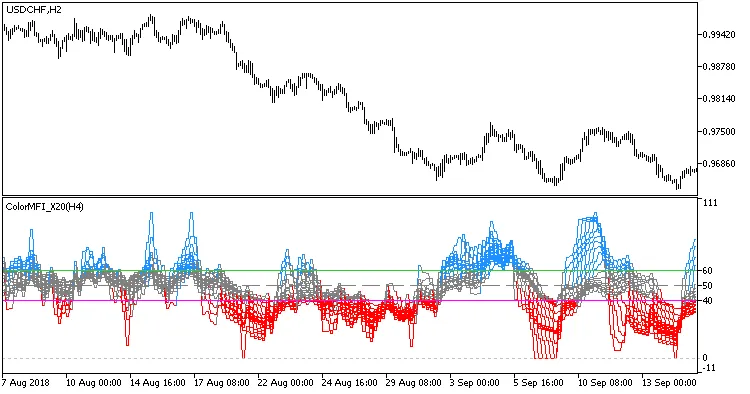
Fig.1. The ColorMFI_X20_HTF indicator




Comments 0