
Hey traders! Today, I want to dive into a fantastic tool that can enhance your trading experience on MetaTrader 5—the DigVariation_HTF indicator. This nifty indicator comes with a timeframe selection option that you can easily customize to fit your trading style.
Setting Up the DigVariation_HTF Indicator
To get started, you'll need to have the DigVariation.mq5 file on your system. Simply place it in your <terminal_data_folder>\MQL5\Indicators directory. Once that’s done, you’re all set to make use of its features!
Timeframe Customization
One of the standout features of the DigVariation_HTF is its ability to allow you to select your preferred timeframe. This can be done in the input parameters:
inputENUM_TIMEFRAMES TimeFrame=PERIOD_H4; // This sets the indicator chart period
Visual Representation
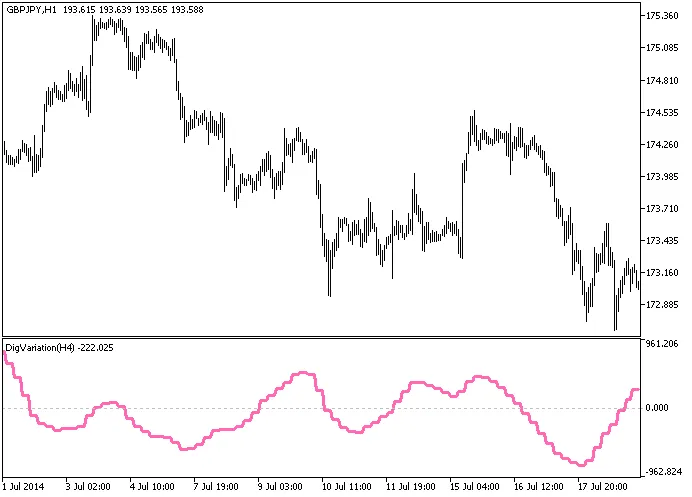
Fig.1. The DigVariation_HTF indicator in action
With the DigVariation_HTF indicator in your toolkit, you’ll be able to analyze market trends effectively and make informed trading decisions. Happy trading!




Comments 0