
When it comes to analyzing market trends, the ROC2 VG indicator is a powerful ally for traders using MetaTrader 4. This handy tool allows you to plot the Rate-Of-Change (ROC) for two custom indicators, including Momentum, all in one convenient window.
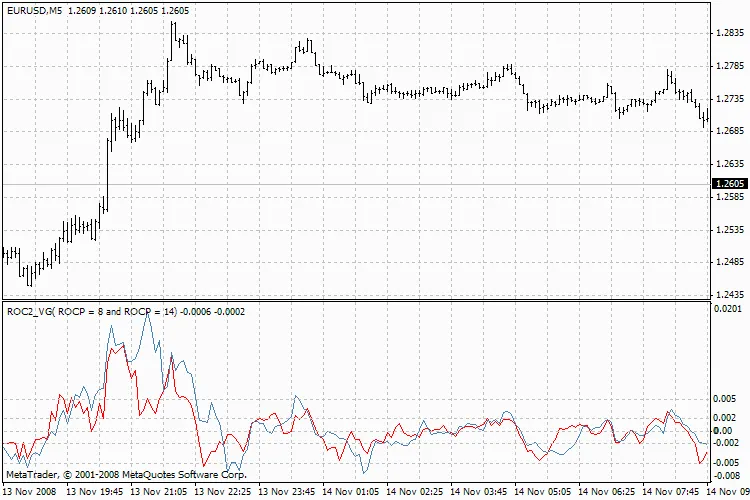
ROC2 VG
Let's break down how the Rate-Of-Change is implemented in TA-LIB:
- MOM = (price - prevPrice) [Momentum]
- ROC = ((price/prevPrice) - 1) * 100 [Rate of Change]
- ROCP = (price - prevPrice) / prevPrice [Rate of Change Percentage]
- ROCR = (price / prevPrice) [Rate of Change Ratio]
- ROCR100 = (price / prevPrice) * 100 [Rate of Change Ratio 100 Scale]
To put things into perspective, here's how these functions stack up against other trading software:
- TA-Lib | Tradestation | Metastock
- MOM | Momentum | ROC (Point)
- ROC | ROC | ROC (Percent)
- ROCP | PercentChange | -
- ROCR | - | -
- ROCR100 | - | MO
One thing to note is that the MOM function isn’t normalized. This means it’s not ideal for comparing different time series of prices.
On the other hand, both ROC and ROCP are centered at zero, allowing for both positive and negative values. Here’s how they relate:
- ROC = ROCP / 100
- ROC = ((price - prevPrice) / prevPrice) / 100
- ROC = ((price / prevPrice) - 1) * 100
Meanwhile, ROCR and ROCR100 are ratios centered at 1 and 100, respectively, and they always yield positive values.
Understanding these variables will help you make more informed trading decisions. Happy trading!




Comments 0