
If you’re diving into the world of trading, you’ve probably heard of the Xaos Explorer indicator. This tool can really elevate your trading game.
Key Features and Parameters
Understanding the parameters of this indicator is crucial for maximizing its potential. Here’s a quick rundown of the main features:
- Separation:
extern int Separation = 15;- This parameter helps determine the spacing between signals. - AlarmOn:
extern int AlarmOn = false;- You can toggle alerts to stay updated on market movements. - SHOW_SIGNALS:
extern int SHOW_SIGNALS = true;- This will display signals on your chart, making it easier to spot opportunities. - Indicator Level 1:
extern double indicator_lev1 = 1.0010;- Adjusting this can make your patterns pop more vividly. - Indicator Level 2:
extern double indicator_lev2 = 0.999;- Fine-tuning this can help you see less prominent patterns.
Experimenting with these constants can provide insights and enhance your trading strategy.
Visual Aid
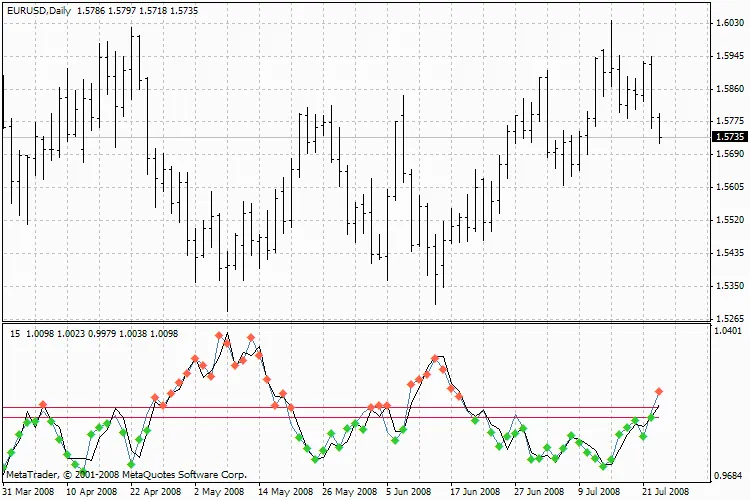
Xaos Explore Perky_Mod




Comments 0