
Hey traders! Today, let's dive into the Price Period Simple Moving Average (SMA) indicator for MetaTrader 5. If you’re looking to get a better grip on market movements, this tool could be your new best friend.
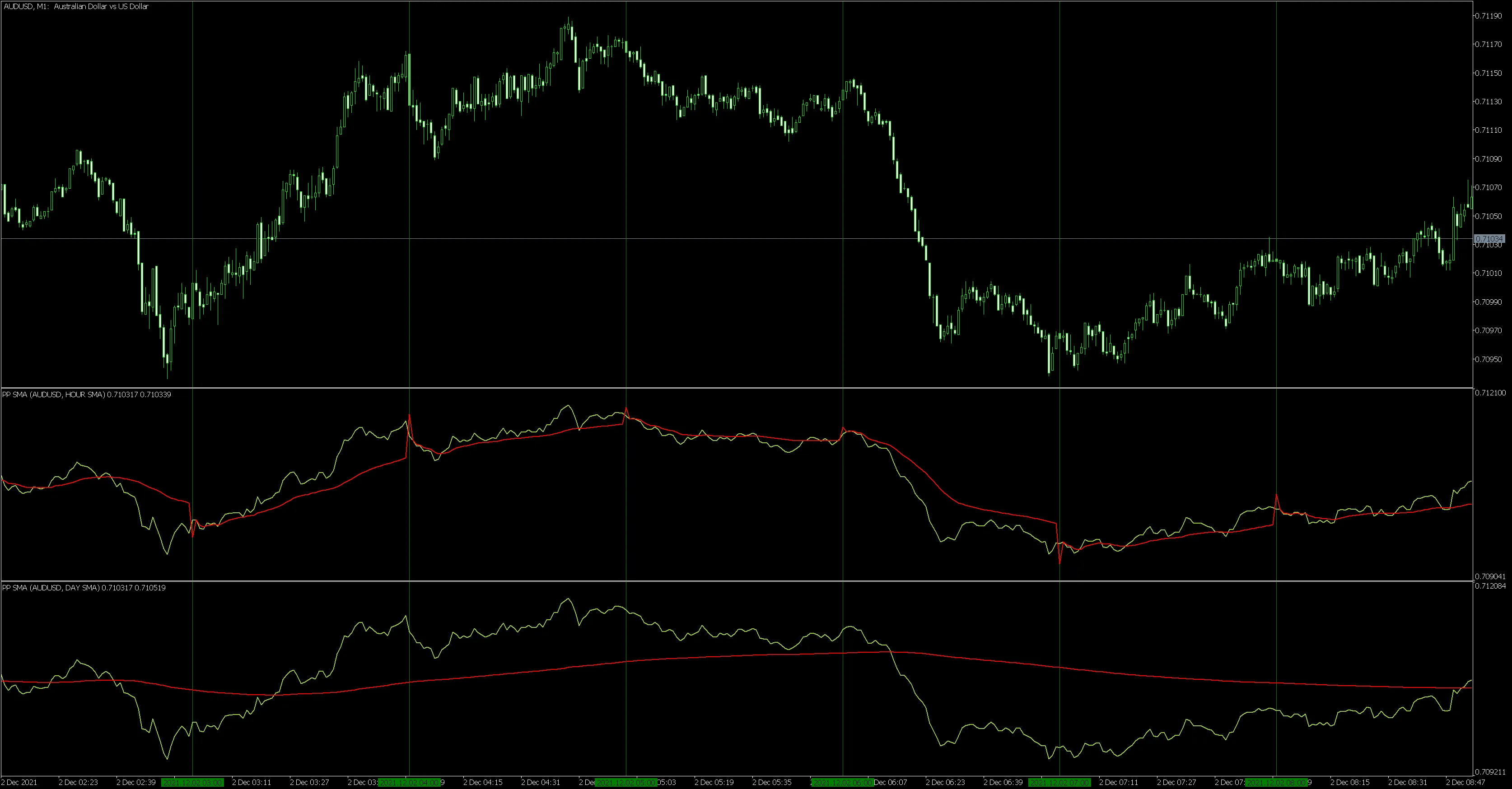
To calculate the average price, you can choose periods like H1 (hourly) and D1 (daily). For instance, the D1 average price helps you determine whether a particular financial instrument is trading above or below its average. On the other hand, H1 gives you a quicker indication of potential price trend reversals.
This indicator is pretty straightforward and has just three key input parameters:
inputstring _symbolName ="0"; // Symbol, 0 = take a symbol from the chartinput ENUM_USE_SMA _useSMA =HOUR_SMA; // Use moving averageinputENUM_APPLIED_PRICE _appliedPrice =PRICE_WEIGHTED; // Price
- Symbol for calculations;
- The time period for which the average price is calculated;
- Applied price.
For optimal results, it's recommended to use timeframes from M1 to M30, with M1 being the most informative.
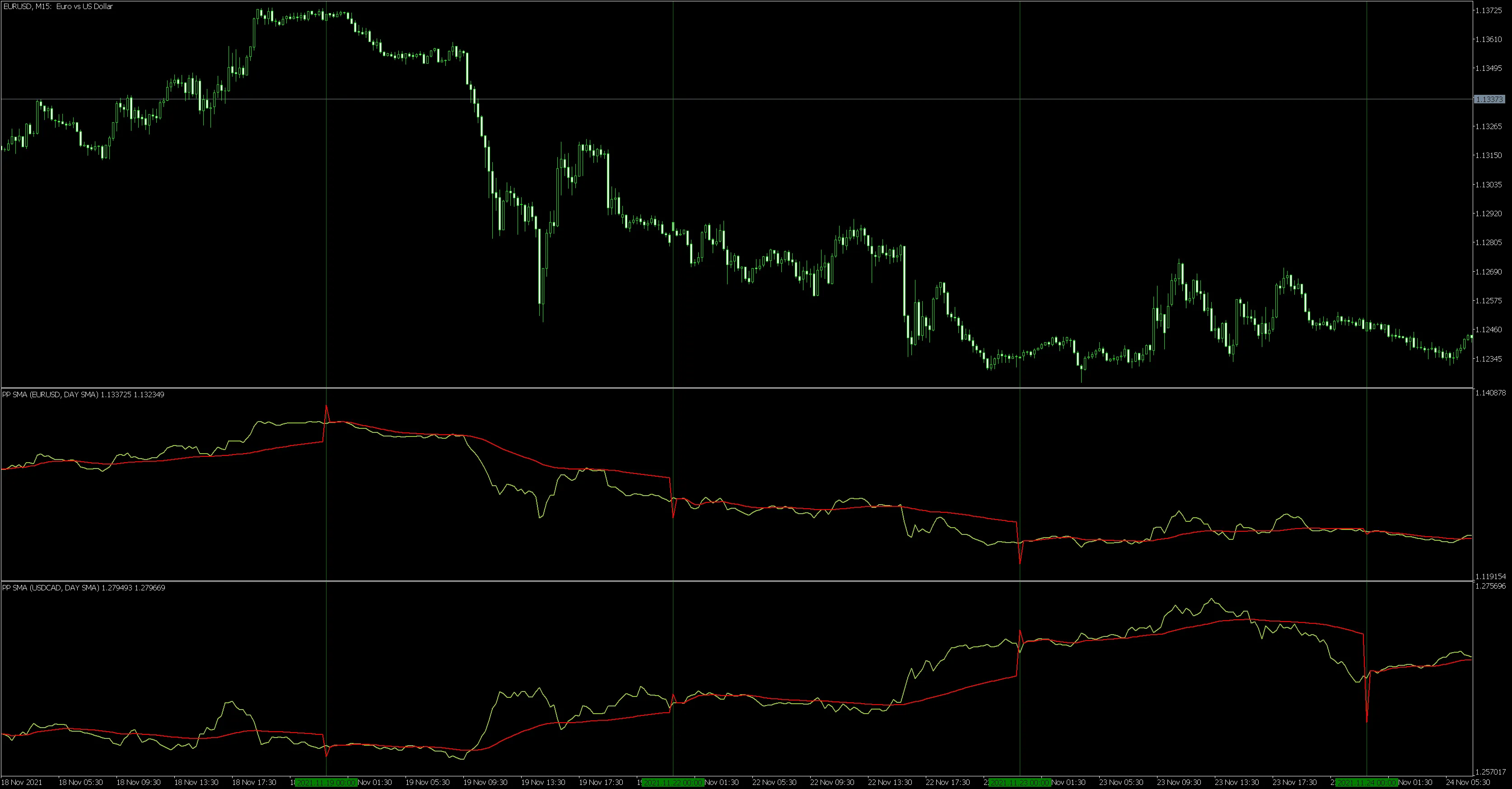
You can also compare different financial instruments on the same price chart. For example, you might want to look at EURUSD and USDCAD on the M15 timeframe.
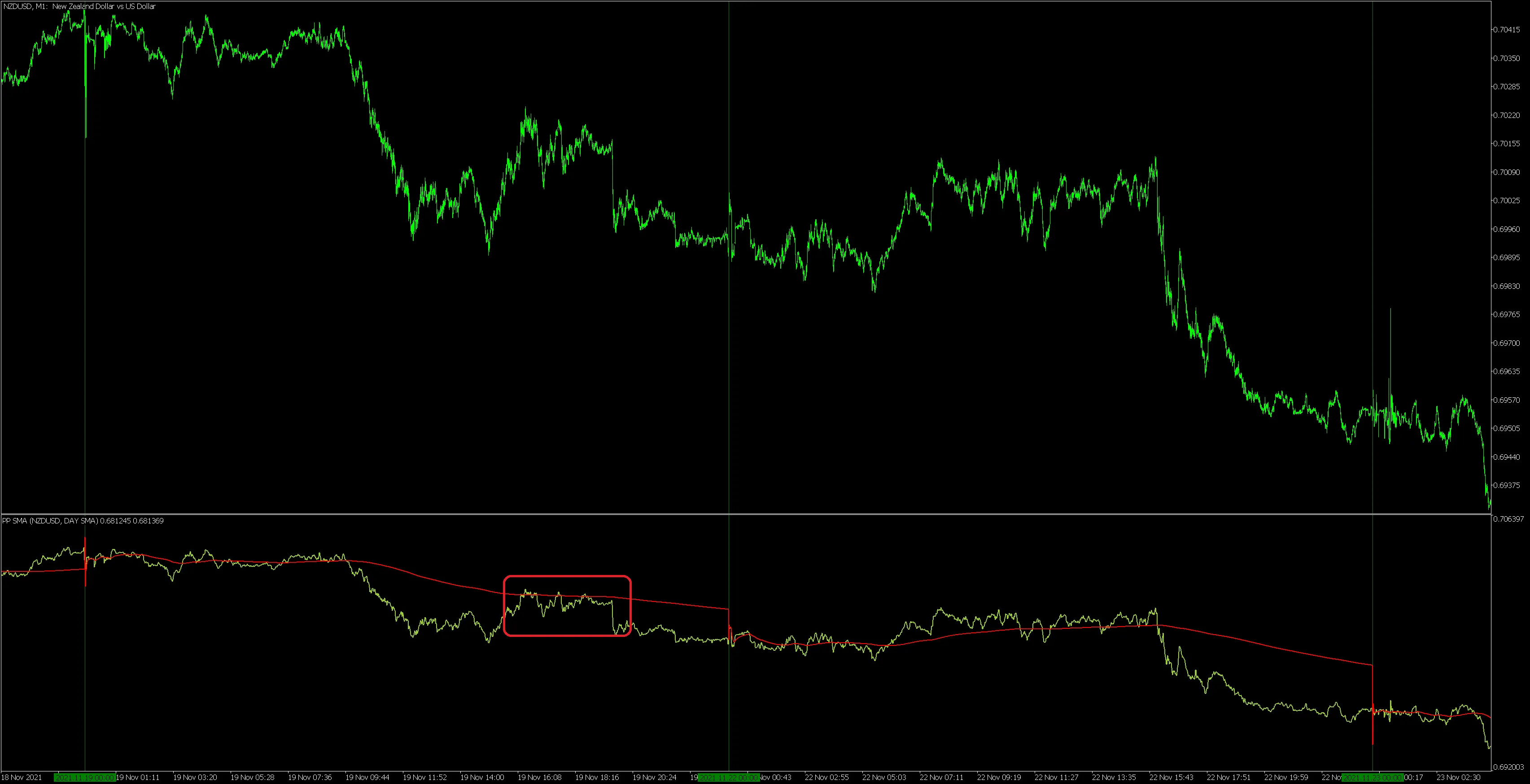
This indicator also gives you insight into the resistance and support levels based on the daily average price.
So, whether you’re a newbie or a seasoned pro, the Price Period SMA can provide valuable insights into your trading strategy. Happy trading!




Comments 0