
ChannelEA2 is a handy trading system that utilizes a channel drawn by the ChannelInd indicator. While it can work alongside this indicator, it's not a requirement, as the EA independently calculates all necessary data.
This EA operates on a specific time schedule. At the designated trading times set in the EA’s parameters, it places two pending stop orders at the channel's borders and sets Stop Loss levels on the opposite side—without applying Take Profit levels. When the trading session ends, all open positions are closed, and any untriggered orders are deleted.
ChannelEA2 comes with eight customizable parameters:
- Begin Hour - The time when trading starts;
- End Hour - The time when trading ends;
- Magic Number - A unique ID for the EA’s positions;
- Lots - The volume of positions to open;
- Price Slippage - The maximum allowable slippage when opening a position;
- Multiplier for Stops - A spread multiplier used to calculate proper distances for stop orders (*).
- Wait Time for Environment Update - Time in seconds to wait for updates to the trading environment (**);
- Attempts to Get Environment State - The number of attempts to get accurate trading environment information (***).
To test the strategy, we ran the default settings using the EURUSD H1 in a 1-minute OHLC mode from January 2, 2017, to March 29, 2018.
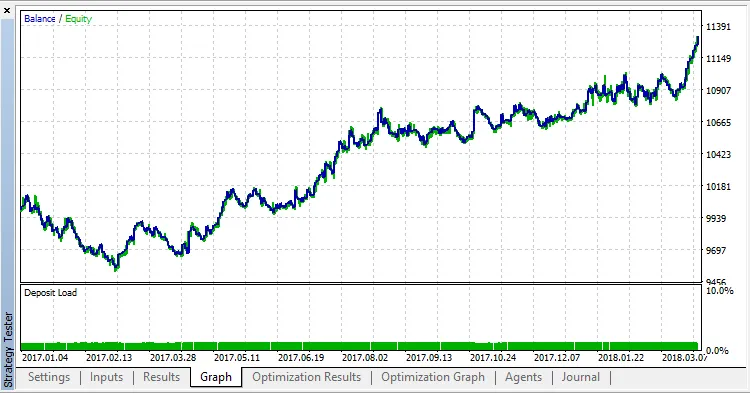
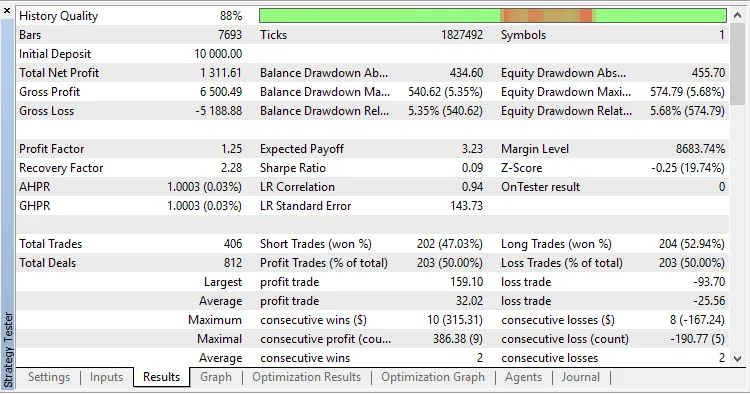
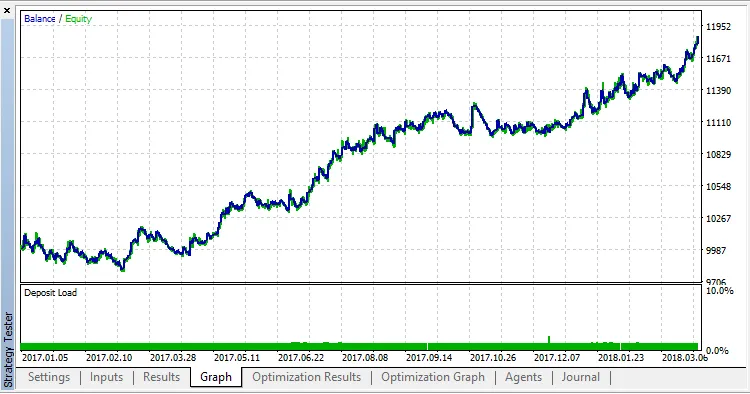
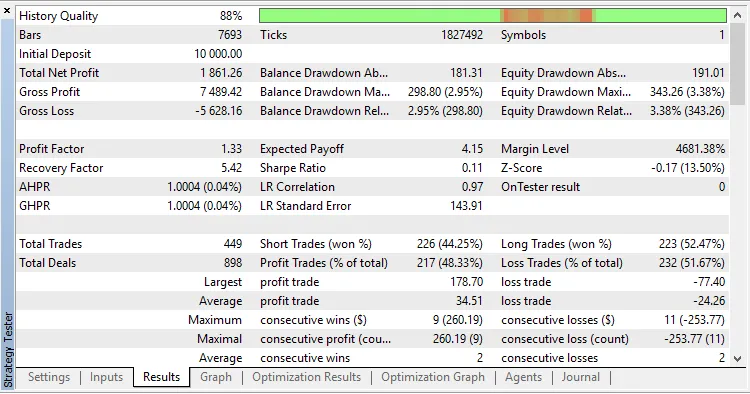
Next, we optimized the trading start/end parameters (Begin Hour and End Hour) for EURUSD H1 in the same 1-minute OHLC mode:
The best results were achieved with these settings:
- Begin Hour = 8;
- End Hour = 10.




Comments 0