
Have you ever found yourself questioning whether your trading history files are complete or if there are gaps lurking in there? You know, those pesky moments when data goes missing for certain periods? Well, you’re in luck!
This handy Expert Advisor (EA) will pinpoint all the gaps in your history file for the selected symbol and timeframe, ensuring you're not trading blind.
How to Use the EA:
- Fire up the EA in the strategy tester.
- Make sure to leave the 'Use date' checkbox unticked.
- Select 'Open prices only' modeling for the specific symbol and timeframe you want to analyze.
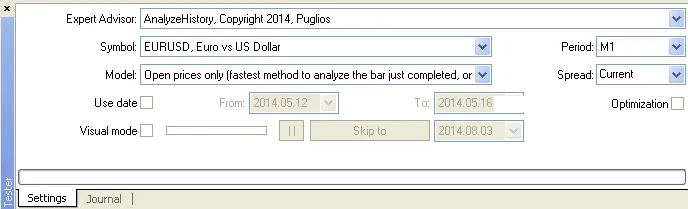
Once you run the EA, it will log all the history gaps it finds. You won’t miss a beat!
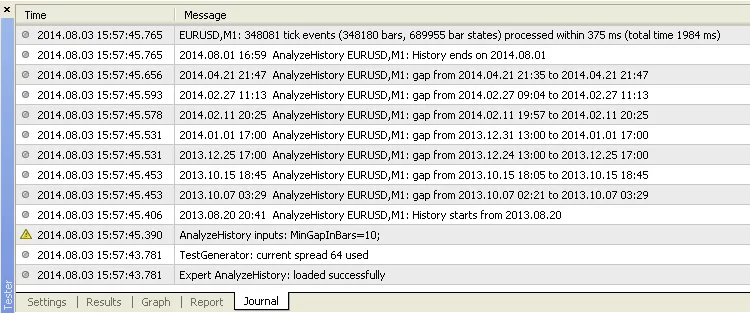
Now, keep in mind that gaps that occur over the weekend (assuming your broker closes on Friday and reopens on Sunday) will be ignored. However, any gaps during festive periods, like Christmas, will be flagged for your attention.
The only input parameter you need to tweak is MinGapInBars, which allows you to filter out gaps that are shorter than a specified number of bars. This is particularly useful for ignoring those tiny gaps that can pop up during low liquidity periods on your broker.
So, if you want to keep your trading history clean and accurate, give this EA a try!




Comments 0