
If you're looking to optimize your trading strategy, you're in the right place! Today, we’ll dive into a unique trading system that utilizes the FineTuningMACandle indicator designed for both long and short positions. This Expert Advisor (EA) can be tailored in various ways, and I’m here to walk you through it.
Understanding the Input Parameters
The input parameters for this EA are split into two main groups:
- Parameters for Long Positions: Look for names starting with 'L'.
- Parameters for Short Positions: Look for names starting with 'S'.
//+----------------------------------------------+//| Input parameters for Long Trades             |//+----------------------------------------------+
magic numberinputuint    L_Magic=777;          // L magic numberinputdouble  L_MM=0.1;             // L share of deposit per tradeinput MarginMode L_MMMode=LOT;      // L lot setting mode//+----------------------------------------------+//| Input parameters for Short Trades            |//+----------------------------------------------+inputuint    S_Magic=555;          // S magic numberinputdouble  S_MM=0.1;             // S share of deposit per tradeinput MarginMode S_MMMode=LOT;      // S lot setting mode
Each trading system is assigned a different magic number, making them operate independently. Remember, real financial markets aren’t always straightforward, and often require different parameters for bullish and bearish conditions. It’s a good practice to start by testing one system at a time. Disable the other system using the relevant switches.
inputbool L_PosOpen=true; // Permission to enter long positionsinputbool L_PosClose=true; // Permission to exit long positions
Once you’ve tested the long positions, repeat the same process for the short positions.
For the EA to function correctly, ensure that the compiled FineTuningMACandle.ex5 indicator file is placed in the <terminal_data_directory>\MQL5\Indicators directory.
During the tests below, default input parameters for the Expert Advisor were utilized, and neither Stop Loss nor Take Profit was applied.
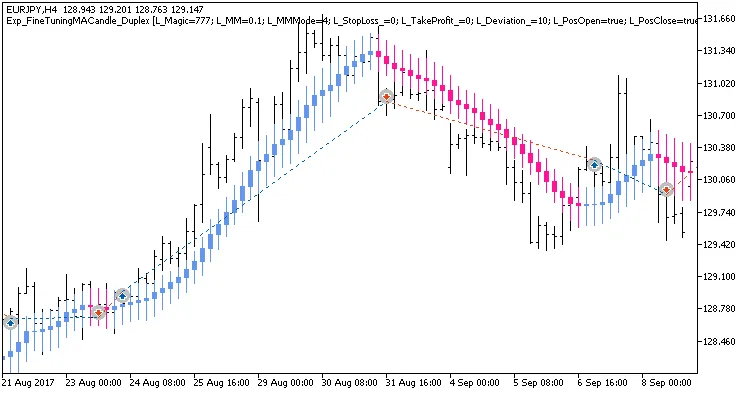
Fig. 1. Examples of deals on the chart with symmetrical settings
Here are the testing results for 2017 on EURJPY H4:
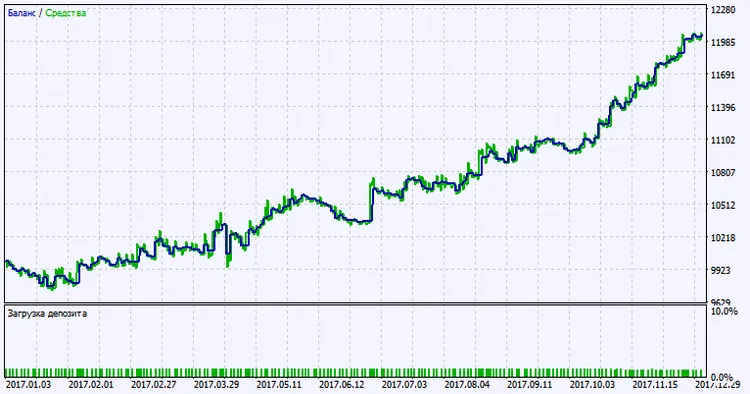
Fig. 2. Testing results chart
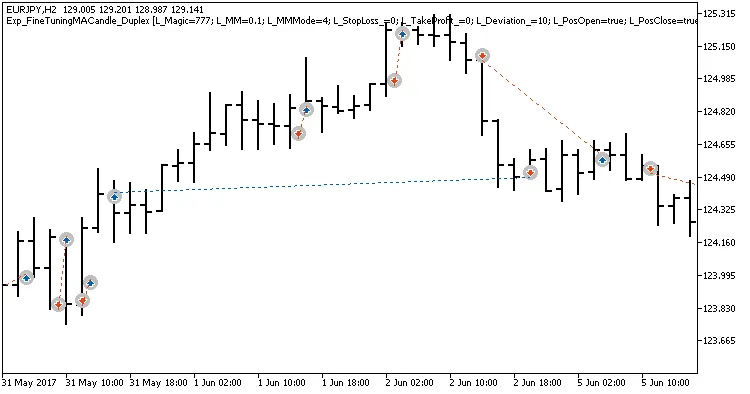
Fig. 3. Examples of deals on the chart with non-symmetrical settings




Comments 0