
Trading Strategy Overview
The core concept behind this trading system is to open 'BUY' positions with each new bar while the 'DeMarker' indicator sits below the 'DeM: Level DOWN'. Conversely, 'SELL' positions are triggered when the 'DeMarker' indicator rises above the 'DeM: Level UP'. By default, the 'Positions: Only one' parameter is set to 'false', allowing the EA to open new positions even when there are existing trades in the market.
New positions are initiated at the start of each new bar, and there's no evaluation of whether the opening price is optimal.
This Expert Advisor does not utilize Stop Loss, Take Profit, or Trailing features; trades are closed based solely on the opposite signal, provided that the resulting profit is greater than zero upon closure.
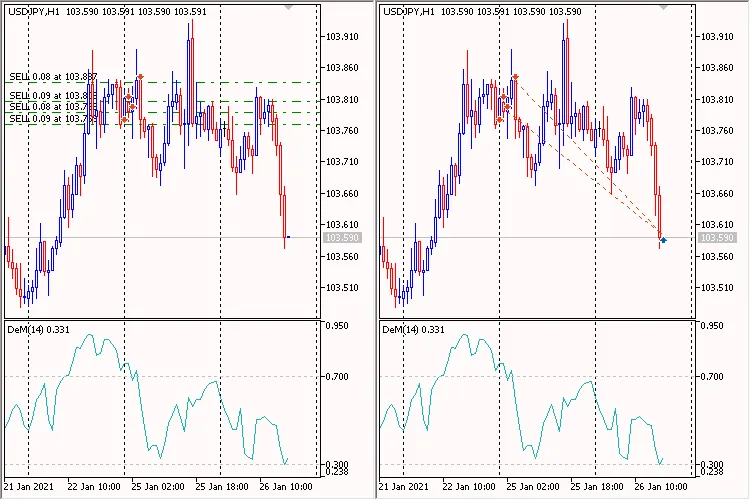
Fig. 1. DeMarker Gaining Position Volume
Testing Across All Symbols
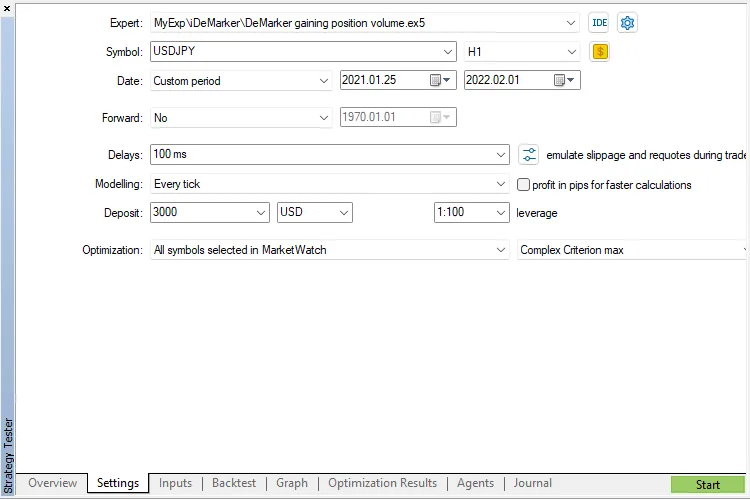
Fig. 2. Settings

Fig. 3. Inputs
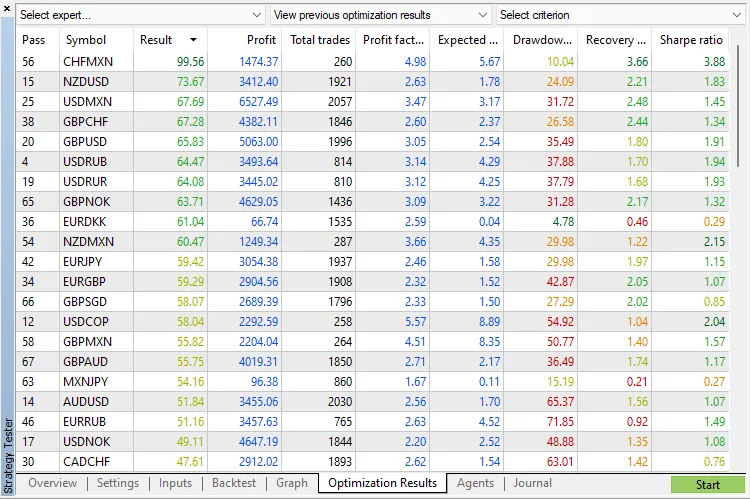
Fig. 4. Result
Let’s dive deeper into the parameter groups:
Trading Settings:
'Working Timeframe' - This is the timeframe your indicators are based on and where new bar searches occur.
Position Size Management (Lot Calculation)
You can opt for a fixed lot size ('Money Management' set to 'Constant Lot' and specify your lot size under 'The Value for "Money Management"') or a dynamic lot size based on risk percentage per trade ('Money Management' set to 'Risk in Percent for a Deal' and input your risk percentage under 'The Value for "Money Management"'). Additionally, you can set a constant lot equal to the minimum lot size by setting 'Money Management' to 'Lots Min'.
Additional Features:
The 'Positions: Only One' flag, when set to 'true', limits the EA to a single position in the market. The 'Positions: Reverse' flag manages signal reversals. The 'Print Log' option provides a detailed log of all operations.




Comments 0