
If you're looking to up your trading game, the Exp_i-SpectrAnalysis_RVI Expert Advisor (EA) might just be the tool you need. This EA is built on the signals generated by the i-SpectrAnalysis_RVI oscillator. You’ll get a signal when a bar closes, particularly when the main and signal lines of the indicator cross, along with a change in the color of the indicator cloud.
To get started, make sure you have the compiled indicator file i-SpectrAnalysis_RVI.ex5 in place. You can find it in your <terminal_data_folder>\MQL5\Indicators directory.
A word of caution: the averaging algorithm used in i-SpectrAnalysis_RVI can cause the indicator to redraw on all bars. This means that after a while, it can be tricky to get an accurate picture of the indicator's state at the moment a trade was executed.
Additionally, the TradeAlgorithms.mqh library file allows you to use Expert Advisors with brokers offering nonzero spreads, as well as the option to set Stop Loss and Take Profit right when you open a position. You can explore more options through this link: Trade Algorithms.
The default input parameters for the Expert Advisor were utilized in the tests shown below, and it’s worth noting that neither Stop Loss nor Take Profit were applied during these tests.
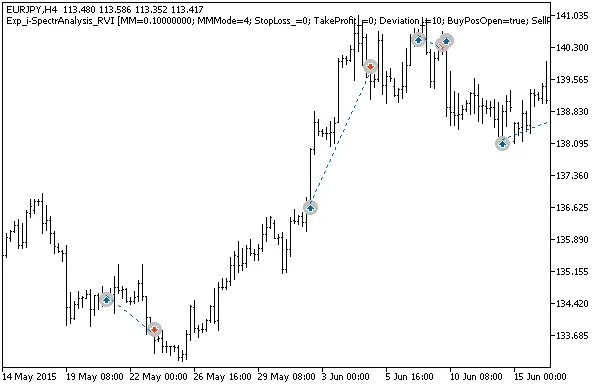
Fig. 1. The instances of history of deals on the chart.
Here are the testing results for 2015 on the EURJPY H4:
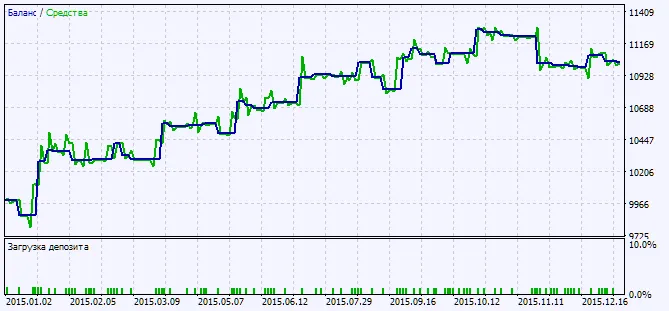
Fig. 2. Testing results chart




Comments 0