
Hey traders! Have you ever wanted to get real-time world index quotes directly in your MetaTrader 5? Well, you’re in luck! Today, I’m going to show you how to pull quotes from Google Finance using the WebRequest function. The best part? The data refreshes every 10 seconds!
First things first, you’ll need to add the Google Finance URL to your trusted list. Here’s how you do it:
- Go to the Main Menu.
- Select Service and then Settings.
- Navigate to the Expert Advisors tab.
- Add the URL: https://www.google.com/finance to the list.
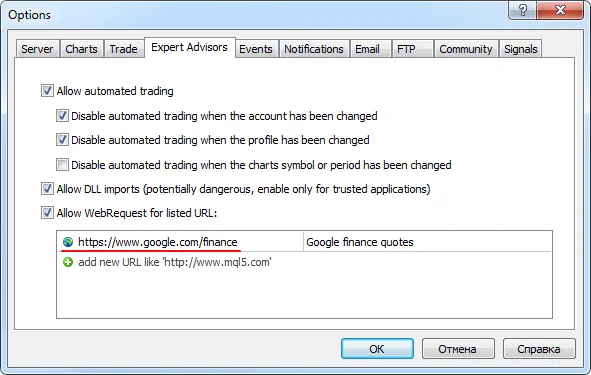
Fig. 1: Add Google Finance to the trusted URL list
Once that’s done, you’re all set to start fetching those world index quotes! Check out the example below:
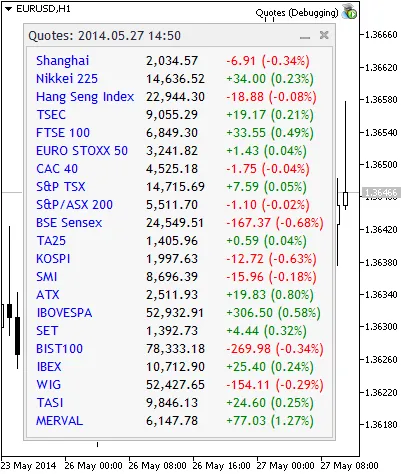
Fig. 2: Real-time world index quotes from Google Finance
Now you can stay updated with the latest market movements without breaking a sweat. Happy trading!




Comments 0