
Key Features:
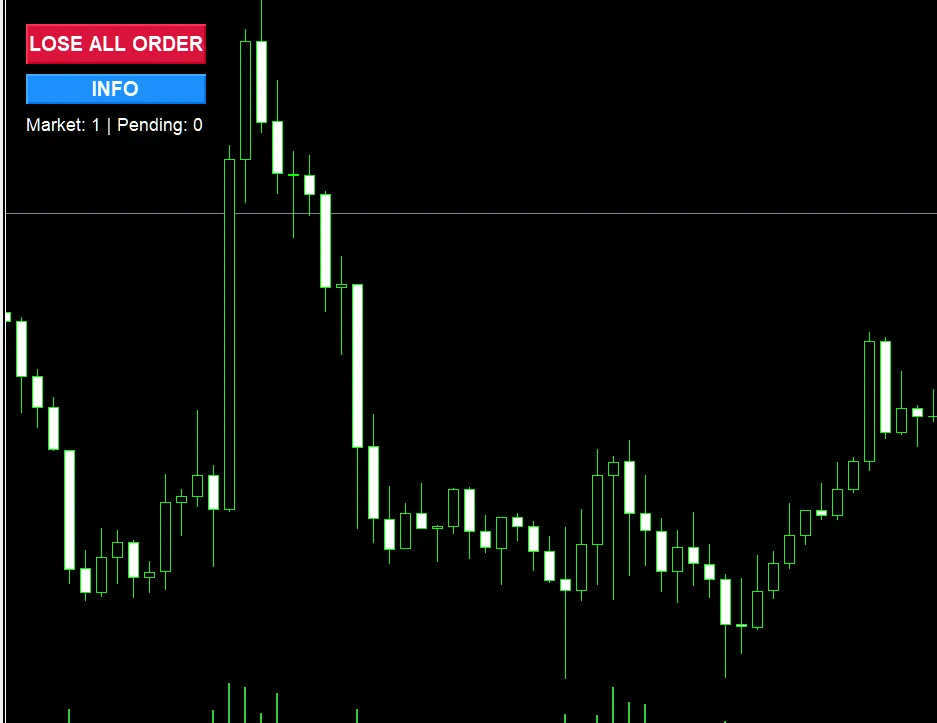
- Visual Button Interface: User-friendly buttons right on your chart for easy access.
- Close Market Orders: Instantly shut down all open positions with just a click.
- Delete Pending Orders: Get rid of all pending orders (Buy/Sell Limit/Stop) in one go.
- Flexible Options: Decide whether to close market orders, pending orders, or both at your convenience.
- Real-Time Display: A live counter that shows you the number of active market and pending orders.
- Confirmation Dialog: Optional prompt to confirm your action before closing orders, keeping accidental clicks at bay.
- Customizable UI: Tailor the button's position, size, and color to fit your style.
- Detailed Reports: Instant feedback on successfully closed orders and any that didn’t go through.
- Error Handling: Robust error management with thorough logging for peace of mind.
Input Parameters:
Button Settings:
- Button position (X, Y coordinates)
- Button dimensions (Width, Height)
- Custom colors for button and text
Close Settings:
- Enable/disable market order closing
- Enable/disable pending order deletion
- Slippage tolerance
- Confirmation dialog toggle
How to Use:
- Attach the EA to any chart.
- Enable AutoTrading (Ctrl+E).
- Hit the red "CLOSE ALL ORDERS" button to close all your orders in a flash.
- Click the blue "INFO" button to check current settings and order counts.
Perfect For:
- Emergency exit situations when the market turns.
- Wrapping up your trading session efficiently.
- Quickly managing your portfolio.
- Effective risk management during volatile market conditions.
- Traders juggling multiple positions at once.
Note:
This EA requires AutoTrading to be enabled. The button interface offers a safe and efficient way to manage your orders without the hassle of navigating through several menus.




Comments 0