
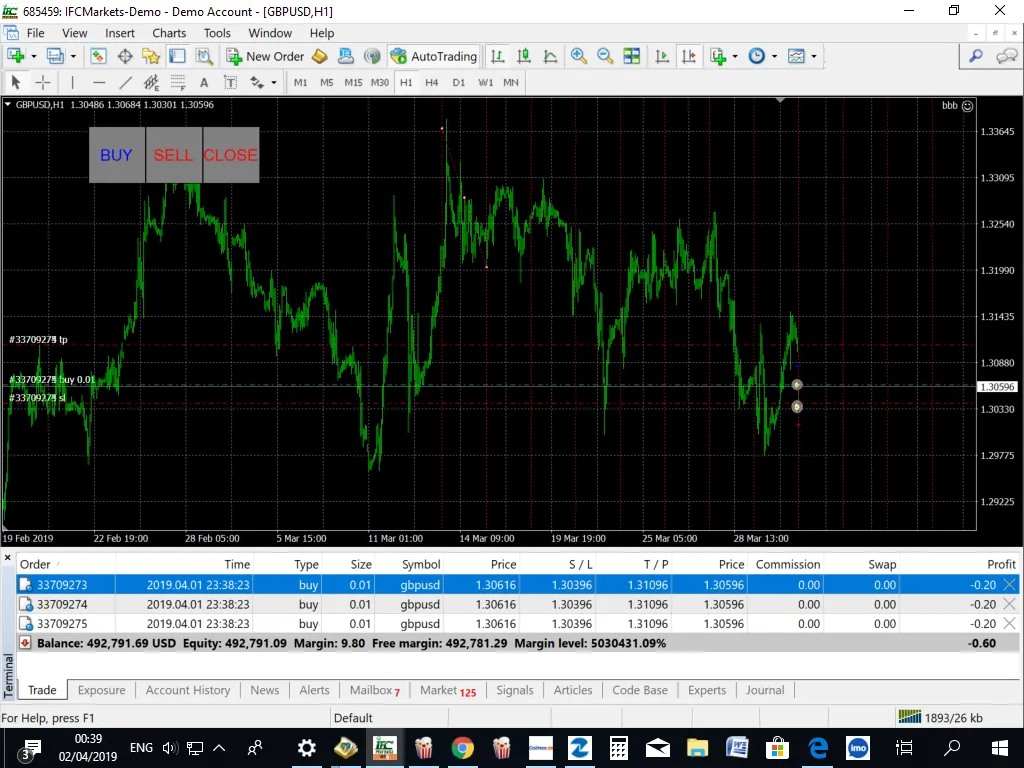
If you're looking to sharpen your trading strategy, the Cycle Lines EA is a game changer for your MetaTrader 4 platform. This handy tool lets you draw Cycle Lines directly on your charts, making it easier to spot price breakthroughs. Plus, it comes equipped with three buttons for manual trading, and you can set your trailing stop loss and take profit levels in advance, along with the option to open and close all trades at once.
Before diving in, it’s always a good idea to test it out on a demo account first to get the hang of it!
Key Features of the Cycle Lines EA
- Customizable Take Profit settings (in money or percentage).
- Money Trailing Stop for multiple trades.
- Ability to exit trades if the trend goes against you.
- Fully adjustable cycle line properties like color, style, and thickness.
- Magic Number and lot size settings to fit your trading style.
Inputs to Consider
- Use_TP_In_Money: Set to true/false to use Take Profit in monetary values.
- TP_In_Money: Define your Take Profit amount in currency (range: 10-100).
- Use_TP_In_percent: Choose true/false for Take Profit in percentage.
- TP_In_Percent: Set Take Profit percentage (range: 10-100).
- Enable_Trailing: Activate trailing with monetary values (true/false).
- Take Profit In Money: Set your trailing take profit amount (range: 25-200).
- Stop Loss In Money: Define your stop loss (range: 1-20).
- Exit: Automatically close trades if the trend turns against you (true/false).
- Lots: Set your lot size (range: 0.01-10).
- MaximumRisk: Define maximum risk as a percentage of total margin (range: 0.01 - 0.3).
- DecreaseFactor: Set how much to decrease total margin if you incur a loss.
- Stop_Loss: Set your stop loss (range: 10-100).
- TakeProfit: Define your take profit level (range: 10-100).
- MagicNumber: Identify your trades with a unique magic number (range: 1-100000).
- NumberOfTrades: Set how many trades to open (range: 1-10).
Additionally, if you're focusing on a single trade, you can set the trailing stop value between 40 and 100 to activate it, or leave it at "0" to keep trailing stop loss disabled. You can also enable the break-even feature and choose the specific conditions under which you want to adjust your stop loss.




Comments 0