
Are you diving into the world of trading with the MTrainer Strategy Tester on MetaTrader 4? Let’s break it down together!
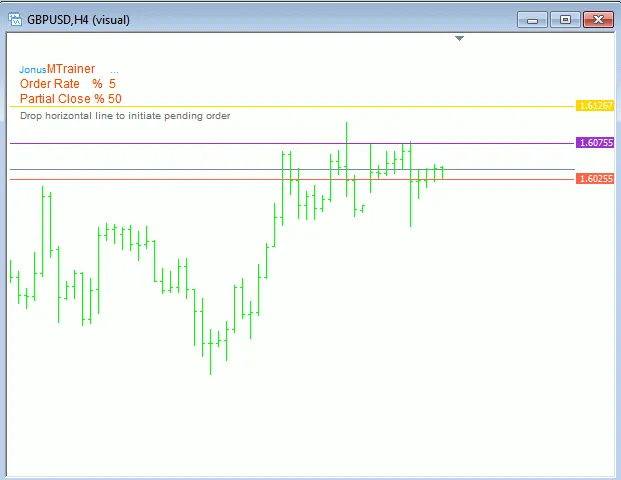
When you fire up the MTrainer in the Strategy Tester, you’ll notice either two lines or three if you’ve put a number for PCRate. These lines indicate your Stop Loss (SLcolor), Take Profit (TPcolor), and, if applicable, the Partial Close (PCcolor) levels. Position these lines to reflect your next trade, and then drop a new horizontal line on the chart where you want to place your order. The default color for a new order is DimGray (OScolor), so make sure this line matches the color you’ve chosen in the parameters.
MTrainer figures out what type of order you want based on the placement of the SL and TP lines. The name of the order doesn’t really matter since MTrainer will change it to a Pending Order (OPcolor) line. If you want to delete the order, just remove the Pending Order line.
Got a pending order? No worries! You can still adjust the lines to tweak your order. Just remember, if you move the pending order line, it’ll delete the order and create a new one. Adjusting the SL and TP lines will simply modify your existing order. Moving the PC line won’t affect the order itself but will signal a partial close when the price of an open order crosses it—this is effective only once per order.
With an open order, you still have the flexibility to move the SL, TP, and PC lines to alter your order. The color will change to the Open Order color (OOcolor). If you want to close the order, just delete the Open Order line.
So go ahead, have fun trading!




Comments 0