
Author of the idea: Vladimir Khlystov, MQL5 code author: barabashkakvn.
So, you’re diving into the world of automated trading on MetaTrader 5? Let’s talk about the EA Stop Order. This nifty Expert Advisor sets up a grid of pending Buy Stop and Sell Stop orders. Once your profit hits or exceeds your set target, all active positions are closed, and any pending orders are wiped clean. Then, it’s time to kick off the cycle all over again!
Input Values Explained
- Profit Target (in money) - This is your desired profit; aim high!
- Use Buy Stop - Toggle this to enable or disable Buy Stop orders.
- Use Sell Stop - Toggle this to enable or disable Sell Stop orders.
- Maximum Pending Orders - Decide how many orders of each type you want to hold at a time.
- StopLoss ("0" -> off) - Set your stop loss; zero means it’s off.
- TakeProfit ("0" -> off) - Set your take profit; zero means it’s off.
- Distance from Current Price - This is the gap you want from the current price.
- Lots - Specify the lot size for your first order.
- Lot Ratio - Control your lot size increase; set it to 1.0 if you prefer no changes.
- Magic Number - A unique identifier for your EA, keeping everything organized.
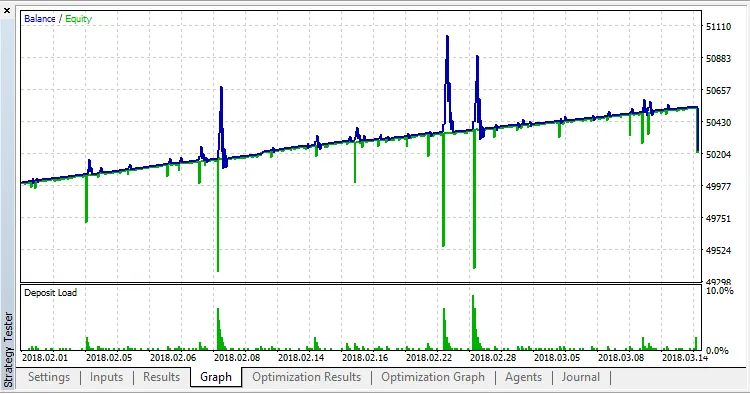
Here’s a quick example of testing this EA in the "Every tick based on real ticks" mode using EURUSD:




Comments 0