
Hey there, fellow traders! If you’re looking to up your game with MetaTrader 5, let’s dive into the RectangleTest EA. This handy tool leverages the power of the Rectangle, EMA, and SMA indicators to give you a leg up in the market.
Here’s a quick rundown of the EA settings you’ll want to keep in mind:
- 1. Magic Number: This unique identifier helps you manage multiple trades.
- 2. Commentary: Add notes for your trades for better tracking.
- 3. EMA Small: Set the parameters for your Exponential Moving Average.
- 4. SMA Big: Define your Simple Moving Average settings.
- 5. Volumes: Customize your trading volume settings.
- 6. Daily Stop Loss: Determine your risk management strategy with a daily stop loss.
- 7. SL Points: Specify your stop-loss points.
- 8. TP Points: Set your take-profit points.
- 9. Rectangle Settings: Adjust the rectangle settings for your trades.
- 10. Time Filter: Implement a time filter to optimize your trading hours.
Update: --- Risk management has been applied to the position. ---
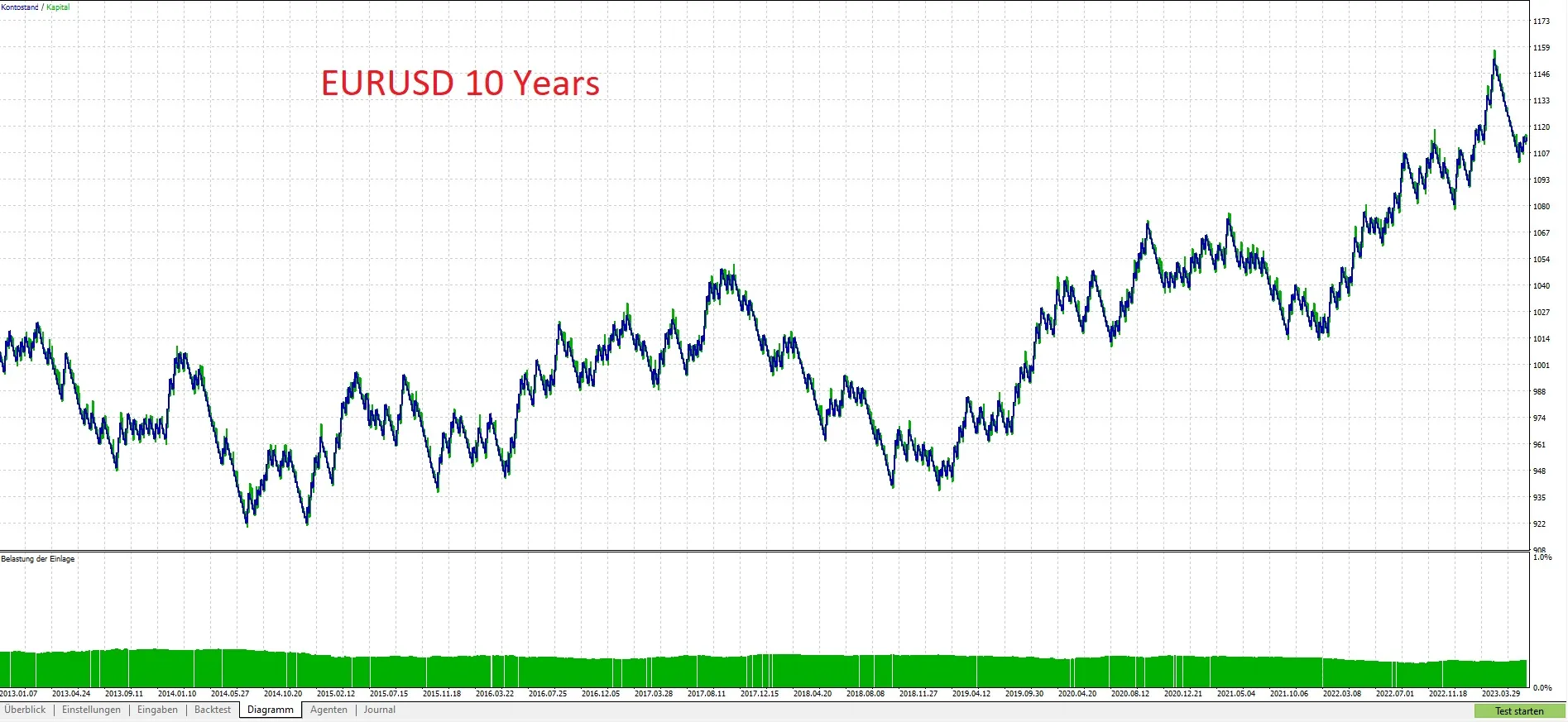
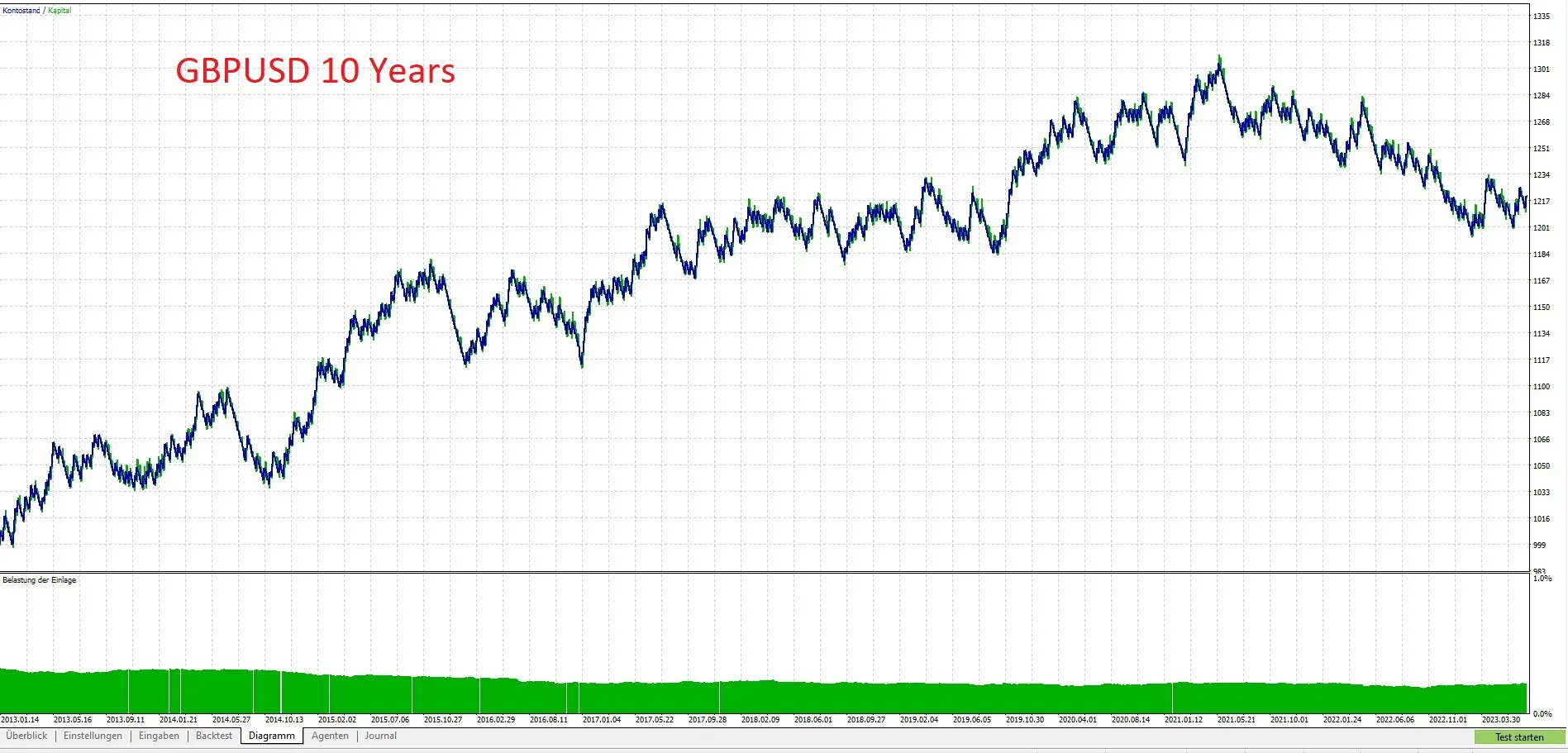
Check out these charts to see the performance over the last ten years:




Comments 0