
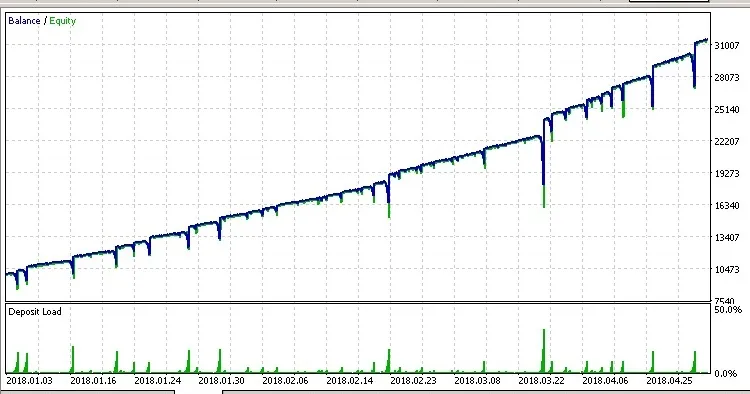
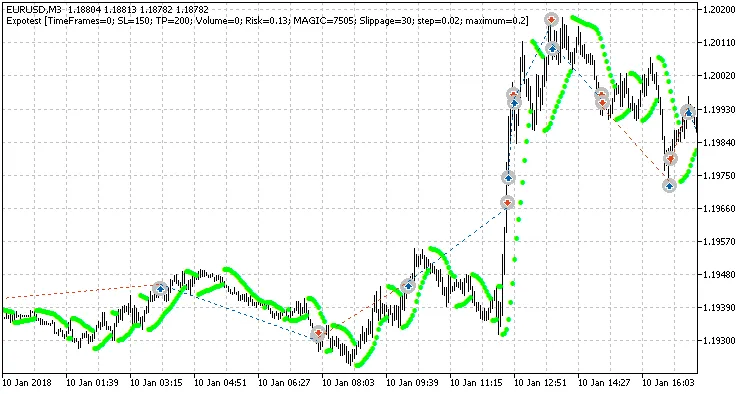
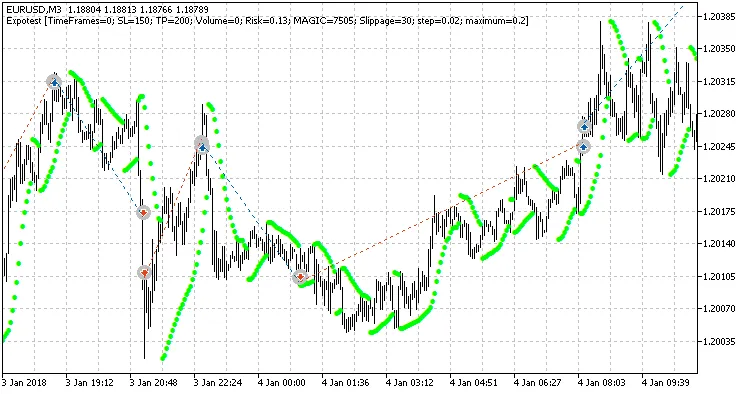
Welcome, fellow traders! Today, we're diving into the world of Expotest, an Expert Advisor tailored for MetaTrader 5. This EA leverages the power of the Parabolic SAR indicator to make savvy trading decisions. Here's how it works: if the Ask price exceeds the indicator values, it signals a buying opportunity; conversely, if it falls below, it’s time to sell.
Settings You Need to Know
- TimeFrames - Choose the chart timeframe for receiving signals from the indicator;
- SL - Set your stop loss level to manage risk;
- TP - Define your take profit level for locking in gains;
- Volume - Specify the order volume; if set to 0, it will automatically adjust based on your Risk setting;
- Risk - Adjust your risk percentage; this applies when Volume = 0;
- MAGIC - This is the unique identifier for your EA's orders;
- Slippage - Determine the maximum slippage you’re willing to accept;
- Step - This refers to the price change step, acting as an acceleration factor for the SAR indicator;
- Maximum - Set the maximum step for the SAR indicator.




Comments 0