
Hey traders! Today, we're diving into the RJTX_Matches_Smoothed Expert Advisor (EA) for MetaTrader 5. This versatile tool comes packed with two identical trading systems designed for both long and short positions, all while utilizing the signals from the RJTX_Matches_Smoothed indicator. You can tweak the settings in various ways to fit your trading style. Let's break it down!
Understanding the Input Parameters
When it comes to configuring the EA, the input parameters are split into two main categories:
- Parameters starting with 'L' are for managing long positions.
- Parameters starting with 'S' are for managing short positions.
//+----------------------------------------------+//| EA's input parameters for long positions |//+----------------------------------------------+inputuint L_Magic=777; //L magic numberinputdouble L_MM=0.1; //L share of a deposit per tradeinput MarginMode L_MMMode=LOT; //L lot setting mode//+----------------------------------------------+//| EA's input parameters for short positions |//+----------------------------------------------+inputuint S_Magic=555; //S magic numberinputdouble S_MM=0.1; //S share of a deposit per tradeinput MarginMode S_MMMode=LOT; //S lot setting mode
These two systems operate independently of each other, each with its own magic number. In the unpredictable world of real financial markets, you'll find that different parameters are often needed to navigate rising and falling trends effectively. So, when you're setting up the EA, it’s best to focus on one system at a time. Start by testing the long position settings and disable the short position settings.
inputbool L_PosOpen=true //L permission to enter long positionsinputbool L_PosClose=true //L permission to exit long positions
Once you’ve got the long system dialed in, you can move on to the short system.
Getting Your EA Up and Running
For the EA to function properly, make sure the compiled RJTX_Matches_Smoothed.ex5 indicator file is placed in your <terminal_data_directory>\MQL5\Indicators folder.
During the tests conducted for this EA, the default input parameters were utilized. Notably, both Stop Loss and Take Profit settings were not applied during these tests.
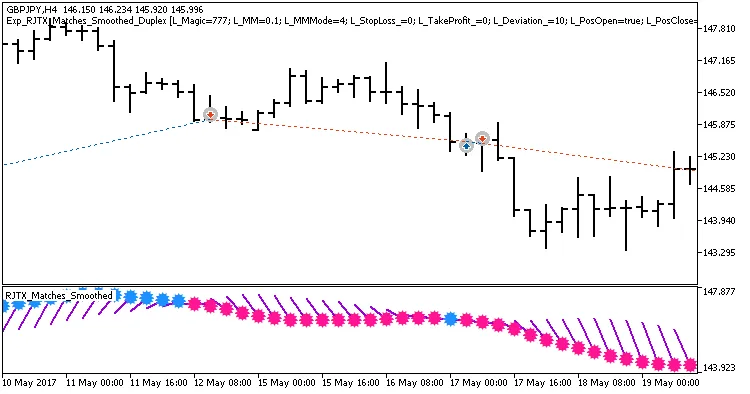
Fig1. Sample deals on the chart with symmetrical settings.
Now, let's take a look at the testing results for GBPJPY on the H4 timeframe over the year 2017:

Fig. 2. Testing results chart.
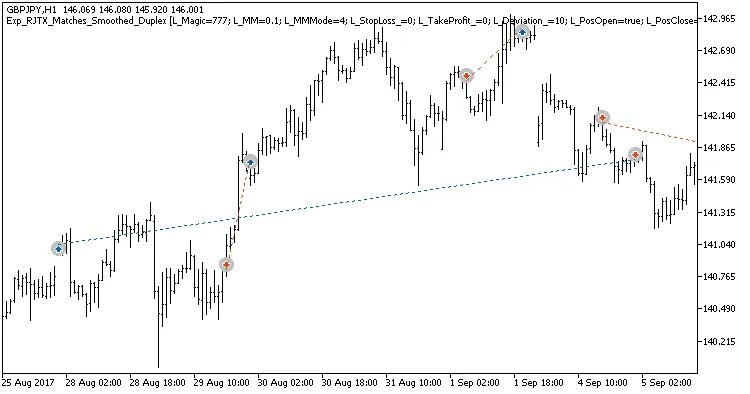
Figure 2. Examples of deals on the chart with non-symmetrical settings.




Comments 0