
If you're looking to enhance your trading game, the "Broadening Top" strategy might just be what you need. This innovative price action Expert Advisor (EA) for MetaTrader 4 utilizes two mini trend lines drawn with fractals on your chart. It effectively implements the Broadening Top trading strategy while incorporating a trailing stop loss and take profit feature. Best of all? It works seamlessly across all time frames, including major forex pairs and NASDAQ stocks!
One of its standout features is its reliability on the 1-hour time frame, making it a versatile tool in your trading arsenal.
- 
The core concept of this price action EA is simple yet effective:
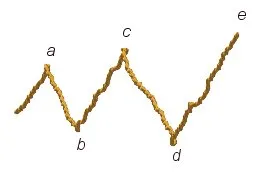
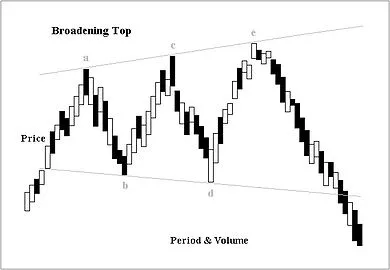
- In the example above, the price reverses five times. Notice how reversal point D is lower than points B, C, and E, while points C and E are higher than point A.
- To confirm the trend, watch for the price to break below the lower of the two points (B & D) before it continues to drop. This is where the Broadening Top pattern is validated.
- Start off by testing it on a demo account.
- This EA only trades based on the opening price of each candle!
- If you're not keen on increasing lot sizes after losing a trade, set the "IncreaseFactor=0".
- I've combined a straightforward EA with two moving averages and a trend line.
- Keep in mind that the trend line won't function in test mode.
- Optimization tests can only be carried out with the moving averages in mind.
- In live trading, both the trend line and moving averages will work in tandem.
- During tests, the EA simply draws the trend line visually on the screen without factoring it into trade decisions.
- The trend line acts as a filter, enhancing the probability of winning trades.
Here are some key inputs you can customize:
Inputs:- Use_TP_In_Money: Enable Take Profit in money (values: true/false).
- TP_In_Money: Set Take Profit in money (values: 10-100).
- Use_TP_In_percent: Enable Take Profit in percent (values: true/false).
- TP_In_Percent: Set Take Profit in percent (values: 10-100).
- Enable_Trailing: Turn on trailing with money (values: true/false).
- Stop Loss In Money: Set stop loss in current currency (values: 1-20).
- Exit: Close trades if the trend goes against you (values: true/false).
- Lots: Define lot size (values: 0.01-1).
- Max_Trades: Set maximum trades (values: 1-12).
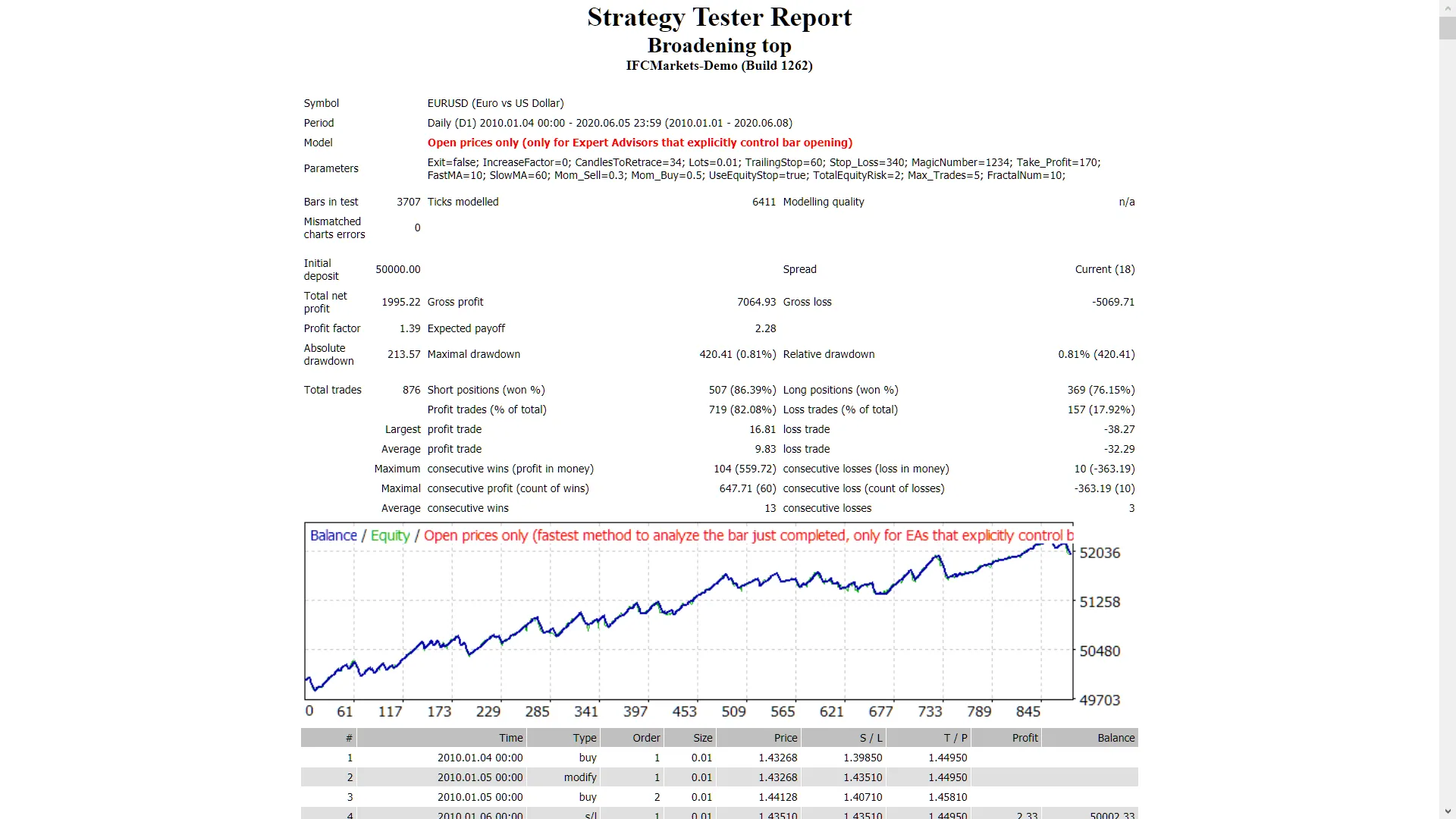
It's wise to optimize this EA every few months and use the same inputs mentioned above. You can utilize it as a hedging grid EA or a single trade EA.
Want to know how to perform a back test? Check this link: Backtesting Guide.




Comments 0