
Hey there, fellow traders! Today, I’m diving into the Exp_ColorMaRsi-Trigger Duplex, a powerful Expert Advisor designed for MetaTrader 5. This nifty tool features two identical trading systems that cater to both long and short positions, all based on the signals provided by the ColorMaRsi-Trigger indicator. What’s great is that you can customize it in various ways while keeping it all under one roof.
Understanding the Setup
To make the most of this EA, you’ll want to get familiar with the input parameters. They’re neatly categorized into two groups:
- Long Position Parameters: These start with an L.
- Short Position Parameters: These start with an S.
Input Parameters for Long and Short Operations
//+----------------------------------------------+//| EA inputs for long operations |//+----------------------------------------------+inputuint L_Magic=777; //L magic numberinputdouble L_MM=0.1; //L share of a deposit in a dealinput MarginMode L_MMMode=LOT; //L lot size calculation method
//+----------------------------------------------+//| EA inputs for short operations |//+----------------------------------------------+inputuint S_Magic=555; //S magic numberinputdouble S_MM=0.1; //S share of a deposit in a dealinput MarginMode S_MMMode=LOT; //S lot size calculation method
These two trading systems are completely independent, each with its unique magic number. It’s important to remember that real financial markets are often asymmetric. Different parameters might be necessary for trading in a bullish versus a bearish market. So, it’s wise to test one system at a time. Start by disabling the other system using the appropriate switches in the EA.
Configuring Your EA
inputbool L_PosOpen=true; //L Permission to enter long positionsinputbool L_PosClose=true; //L Permission to exit long positions
Once you’ve tested the long system, repeat the process for the short one.
Getting Started
For the EA to function correctly, make sure the compiled ColorMaRsi-Trigger.ex5 indicator file is placed in the <terminal_data_directory>\MQL5\Indicators folder.
During the tests below, default input parameters for the Expert Advisor were used, and neither Stop Loss nor Take Profit was included.
Performance Insights
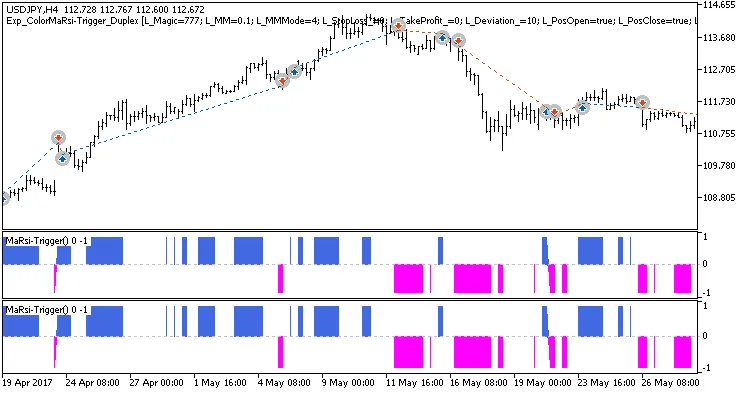
Fig. 1. Examples of deals on the chart with symmetrical settings
Here are the testing results for USDJPY on the H4 timeframe over the year 2017:
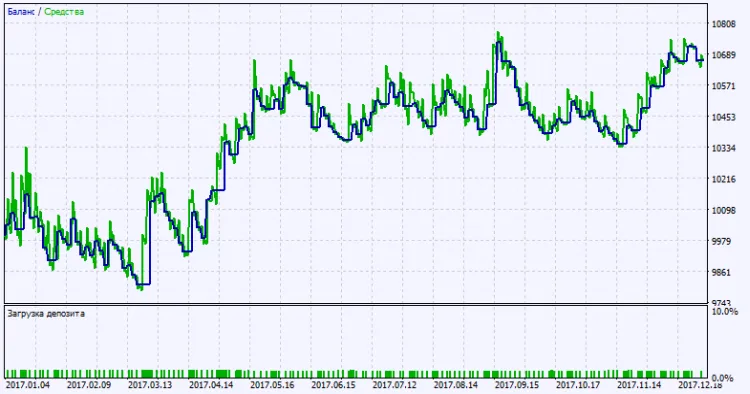
Fig. 2. Testing results chart
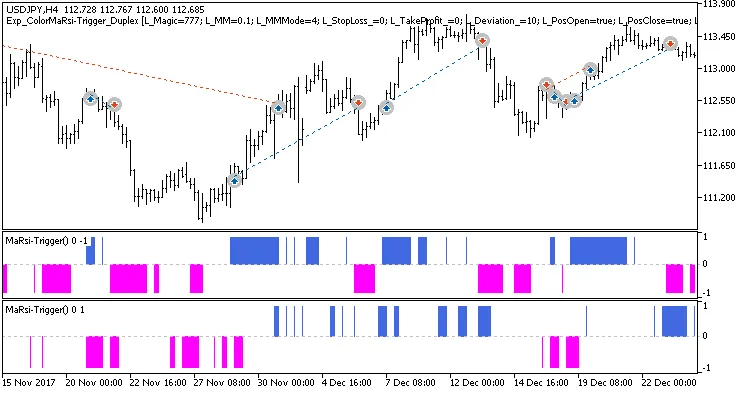
Fig. 3. Examples of deals on the chart with non-symmetrical settings




Comments 0