
If you're looking to up your trading game, the Gann Grid EA might just be the tool you need. This expert advisor effortlessly draws Gann Grid lines on your charts and executes trades based on price breakthroughs. Plus, it comes equipped with both Trailing Stop Loss and Take Profit features, making it versatile enough for all major forex pairs, stocks on NASDAQ, and even works wonders on a 1-hour timeframe.
- Start with a demo account to see how it performs.
- This EA operates solely based on the price of the open candle!
- If you're not keen on increasing your lot size after a losing trade, simply set IncreaseFactor=0.
- I've combined a straightforward EA with two moving averages and Gann Grid lines for a more robust trading strategy.
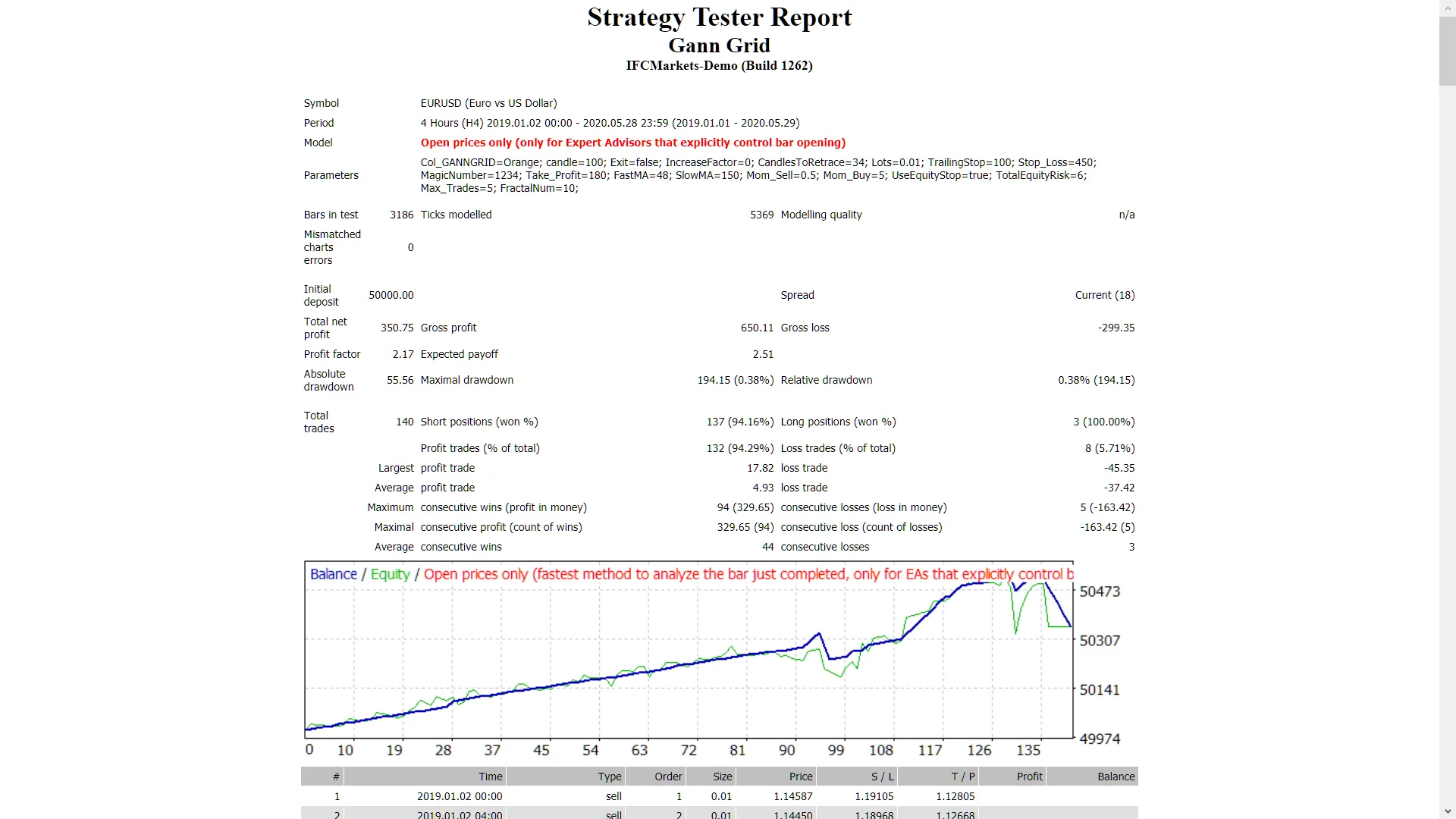
- Note that the Gann Grid lines won't function in test mode.
- Optimization tests can only be done using moving averages.
- In live trading, the Gann Grid lines and moving averages will work in tandem.
- During testing, the EA will only display the Gann Grid lines on the screen in visual mode without considering them for trade creation.
- The Gann Grid lines act as a filter, enhancing your odds of winning trades.
Input Settings
- Use_TP_In_Money - Activate Take Profit in monetary terms (values: true/false).
- TP_In_Money - Set Take Profit in monetary terms (values: 10-100).
- Use_TP_In_Percent - Activate Take Profit in percent (values: true/false).
- TP_In_Percent - Set Take Profit as a percentage (values: 10-100).
- ------------[Money Trailing Stop For Multiple Trades]----------------------
- Enable_Trailing - Enable trailing with monetary settings (values: true/false).
- Set Take Profit in current currency (values: 25-300).
- Set Stop Loss in current currency (values: 1-20).
- ------------------------------------------------------------------------------------
- Exit - Close trades if the trend is against you to control drawdown (values: true/false).
- Choose Gann Grid lines color.
- Fibonacci Arcs anchor candle number (last bar is number 0) (values: 0-300).
- Lots - Set lot size (values: 0.01-10).
- Lots size Exponent (values: 1.01-2).
- IncreaseFactor - Determine how much to increase lots from total margin after a loss (values: 0.001-0.1).
- TrailingStop - Set a value from 10 to 100 to activate trailing stop loss & take profit; use "0" to deactivate.
- Stop_Loss - Set Stop Loss (values: 10-100). Use 600 for multiple trades.
- MagicNumber - Assign a magic number (values: 1-100000).
- TakeProfit - Set Take Profit (values: 10-100). Use 600 for multiple trades.
- FastMA - Fast Moving Average (values: 1-20).
- SlowMA - Slow Moving Average (values: 50-200).
- Mom_Sell - Trigger for Momentum Sell (values: 0.1-0.9).
- Mom_Buy - Trigger for Momentum Buy (values: 0.1-0.9).
- ---------------------CONTROL DRAW DOWN-----------------------------
- UseEquityStop - (values: true).
- TotalEquityRisk - (values: 0.01-20).
- -------------------------------------------------------------------------------
- Max_Trades (1-12).
- IF YOU USE ONLY 1 TRADE:
- //////////////////////////////////////////////////
- USETRAILINGSTOP - If you use trailing stop (values: true/false).
- WHENTOTRAIL - When to start trailing (values: 40-100).
- TRAILAMOUNT - Amount to trail (values: 40-100).
- Distance From Candle - Distance from the candle (values: 1-100).
- UseEquityStop - (values: true).
- TotalEquityRisk - (values: 0.01-5).
- USEMOVETOBREAKEVEN - Enable "break even" (values: true/false).
- WHENTOMOVETOBE - When to move to break even (values: 1-30).
- PIPSTOMOVESL - How many pips to move the stop loss (values: 1-30).
- Regularly optimize this EA every few months and use the same inputs mentioned above.
- You can utilize it as a hedging grid EA or a single trade EA.
- You can utilize it as a hedging grid EA or a single trade EA.




Comments 0