
If you're looking to up your trading game, the MACD 1-Minute Scalper might just be the tool you need. This system utilizes two moving averages along with the MACD indicator on a 1-minute time frame, featuring a trailing stop loss and take profit settings. It's been known to perform particularly well on major forex pairs and NASDAQ stocks.
Getting Started
Before diving in, here are a few tips to consider:
- Test it out on a demo account first. This is crucial to understand how it works without risking your capital.
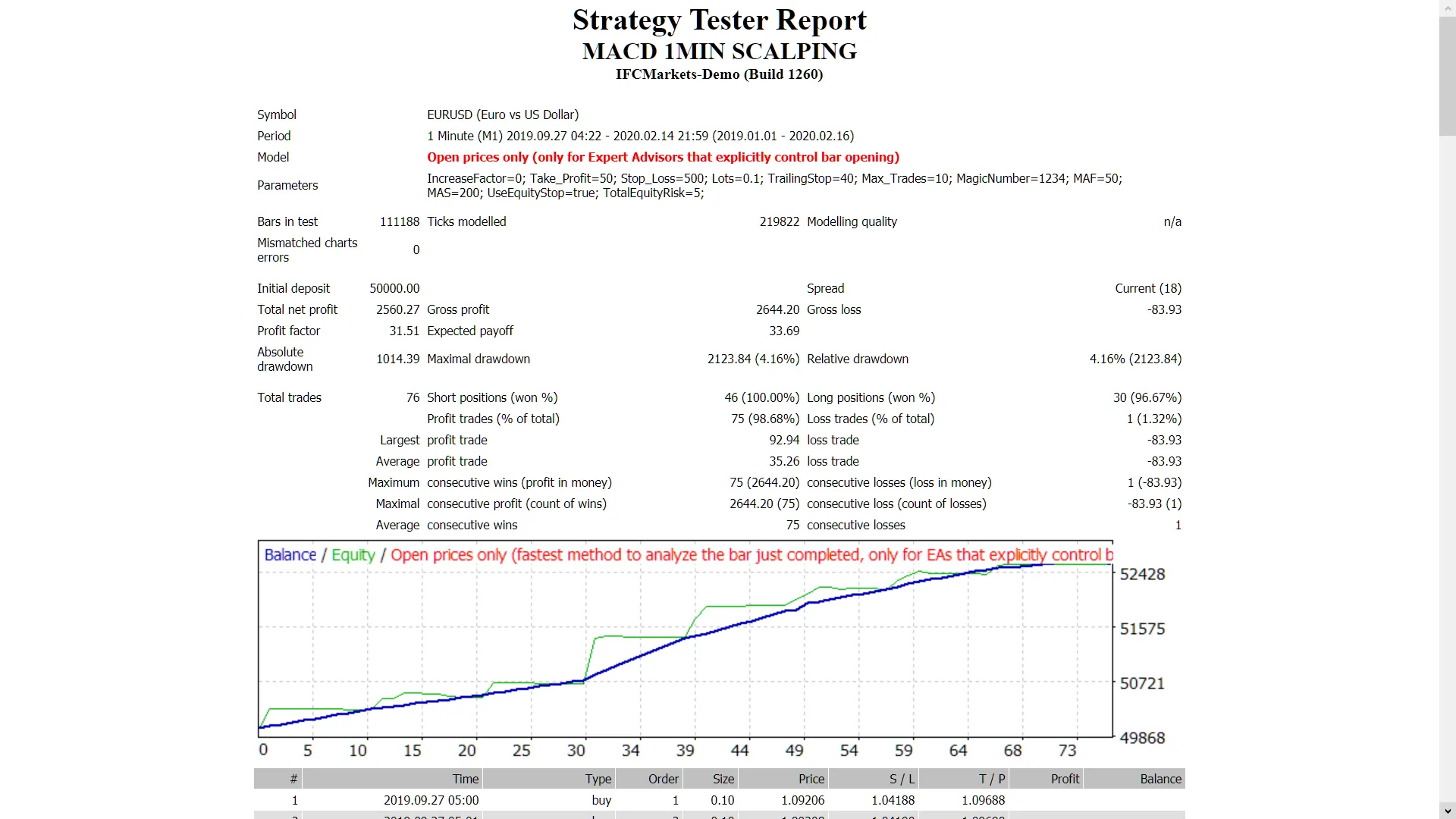
- This EA trades only based on the open price of each candle. Keep that in mind when analyzing your results.
- If you prefer not to increase your lot size after a loss, adjust the setting:IncreaseFactor=0.
Input Settings Overview
- Use_TP_In_Money: Activate take profit in monetary values (true/false).
- TP_In_Money: Set take profit in money (values: 10-100).
- Use_TP_In_Percent: Activate take profit in percentage (true/false).
- TP_In_Percent: Set take profit in percentage (values: 10-100).
- Enable_Trailing: Activate trailing stops (true/false).
- Take Profit In Money: Define your take profit in current currency (values: 25-200).
- Stop Loss In Money: Set your stop loss in current currency (values: 1-20).
- Exit: Close trades if the trend reverses against you (true/false).
- Lots: Define your lot size (values: 0.01-1).
- IncreaseFactor: Determine how much to increase lot sizes after a loss (values: 0.001-0.1).
- Stop_Loss: Set your stop loss (values: 30-500).
- MagicNumber: Assign a magic number for trade identification (values: 1-100000).
- TakeProfit: Define your take profit (values: 50-200).
- FastMA: Set the fast moving average (values: 1-20).
- SlowMA: Set the slow moving average (values: 50-200).
- Mom_Sell: Set the momentum sell trigger (values: 0.1-0.9).
- Mom_Buy: Set the momentum buy trigger (values: 0.1-0.9).
- UseEquityStop: Activate equity stop (true).
- TotalEquityRisk: Define your total equity risk (values: 0.01-20).
- Max_Trades: Set the maximum number of trades (1-12).
- FractalNum: Number of high and low points to consider (values: 1-10).
Final Thoughts
As a reminder, it's essential to optimize this EA every few months using the input values mentioned above. You can utilize it as either a hedging grid EA or for single trades.
Want to learn how to backtest? Check out this guide.




Comments 0