
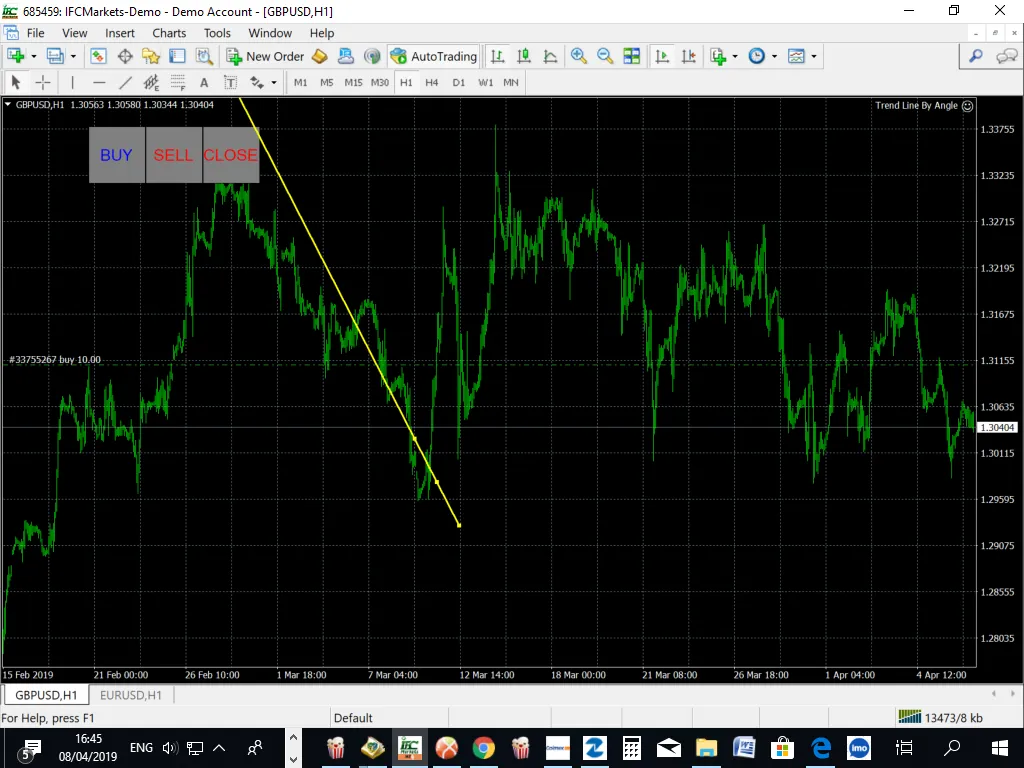
Hey there, fellow traders! If you're looking to up your game, the Trend Line By Angle Expert Advisor (EA) for MetaTrader 4 is a fantastic tool to consider. This EA lets you draw trend lines at specific angles on your chart, making it easier to spot potential price breakouts or shifts in trends.
One of the coolest features of this EA is its three manual trading buttons, which give you more control over your trades. Plus, you can set your trailing stop loss and take profit levels in advance, and even close all your trades simultaneously if you choose. It’s a real time-saver!
Get Started!
- Always start by trying it out on a demo account first.
Customizable Inputs
Here’s a quick rundown of what you can customize:
- Use_TP_In_Money: Set your Take Profit in actual money (values: true/false).
- TP_In_Money: Specify your Take Profit in money (values: 10-100).
- Use_TP_In_Percent: Choose to set your Take Profit in percent (values: true/false).
- TP_In_Percent: Define your Take Profit in percent (values: 10-100).
- Enable_Trailing: Activate trailing stops based on money (values: true/false).
- Take Profit In Money: Set it (values: 25-200).
- Stop Loss In Money: Define it (values: 1-20).
- Exit: Close trades if the trend goes against you (values: true/false).
- Lots: Set your lot size (values: 0.01-1).
- MaximumRisk: Set your maximum risk in percent (values: 0.01-10).
- Stop_Loss: Specify your stop loss (values: 30-500).
- TakeProfit: Define your take profit (values: 50-200).
- MagicNumber: Assign a magic number to your trades (values: 1-100000).
- NumberOfTrades: Set how many trades you want to manage (values: 1-100).
- TrailingStop: Activate trailing stop loss (set a value from 40 to 100; “0” disables it).
- USEMOVETOBREAKEVEN: Enable the break-even system (values: 0-1).
- How much pips move: Define how many pips should trigger the break-even (values: 5-30).




Comments 0