
If you’re looking to enhance your trading game, the Exp Trend Manager Plus might just be the tool you need. This trading system leverages the TrendManager indicator and allows you to set a specific holding time for your positions. Here’s how it works:
How It Works
The system generates trade signals based on the closing of a bar. When the color of the indicator bar changes or a new bar appears after a gap, a signal is triggered. If you’ve set a fixed holding time, the position will automatically close once that time limit is reached.
inputbool TimeTrade=true; //Enable time-based position exitinputuint nTime=12000; //Position holding time in minutes
Getting Started
For the EA to function correctly, make sure the compiled TrendManager.ex5 indicator file is saved in your <terminal_data_directory>\MQL5\Indicators folder.
Additionally, keep in mind that the library file TradeAlgorithms.mqh is essential for using EAs with brokers that have a nonzero spread. It also allows you to set Stop Loss and Take Profit when opening a position. You can find other versions of this library at Trade Algorithms.
The testing shown below utilized the default Expert Advisor's input parameters with stops:
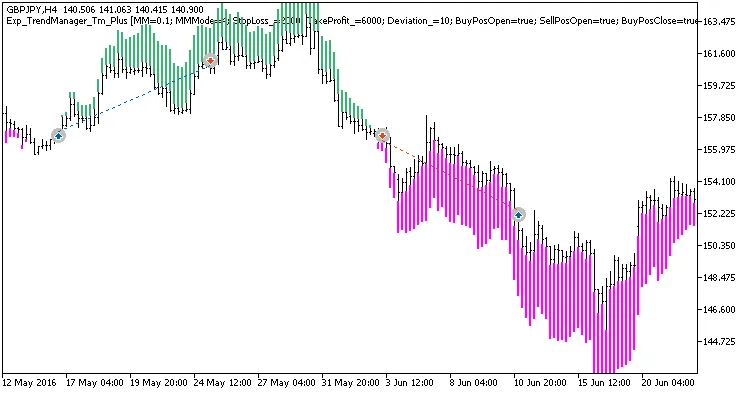
Fig. 1. Examples of trades on the chart
Here are the testing results for GBPJPY on the H4 timeframe over the year 2017:

Fig. 2. Test results chart




Comments 0